Abstract Screening Best Practices for Systematic Review Teams
Abstract Screening Best Practices for Systematic Review Teams
The most effective abstract screening workflow for large-evidence reviews combines a hierarchical, single-barreled yes/no/unsure screening form, independent double screening, early reconciliation checkpoints, and human-in-the-loop automation. Before you screen a single abstract, lock your eligibility criteria in a registered protocol, deduplicate your reference set, and run a pilot round of 20–30 abstracts with all screeners working independently. Here is the short version of what that looks like in practice:
- Create the screening form using objective, single-barreled questions with yes/no/unsure answers, ordered from the easiest exclusion criterion to the hardest.
- Run a 20–30 abstract pilot independently, then hold a mandatory consensus meeting; repeat until your team reaches predefined agreement thresholds.
- Enforce independent double screening for every abstract, with no screener seeing the other’s decision before recording their own.
- Reconcile disagreements early, ideally after the first an early portion of records, to catch coder drift before it compounds.
- Integrate ML-assisted prioritization as a human-in-the-loop tool, not a replacement for human judgment.
For teams managing hundreds or thousands of records, Papersynapse operationalizes this entire pipeline, from CSV/RIS import and PRISMA-compliant tracking to AI-assisted prioritization and real-time collaboration, in one platform.
Table of Contents
- When do these best practices apply to your review?
- What to do before screening begins
- How to run the operational screening workflow
- How to measure and document screening quality
- What happens after abstract screening ends
- How long does abstract screening actually take?
- Which tools should you use for abstract screening?
- Common problems and how to fix them
- Key Takeaways
- The part most teams learn the hard way
- Papersynapse makes the full workflow manageable
- Useful sources
When do these best practices apply to your review?
Not every literature review needs the full scaled workflow. The best-practice guidelines developed by Polanin and colleagues target what they call “large-evidence” systematic reviews: projects that pull thousands of citations from multiple databases, cover heterogeneous outcomes, and require a defensible, reproducible audit trail for publication or policy use.
A practical threshold: if your deduplicated reference set exceeds roughly 1,000 records, or if your search spans three or more databases with broad MeSH or keyword strategies, the full workflow described here applies. Below that, a lighter approach, one screener with a spot-check by a second, may be proportionate.
Two quick examples illustrate the difference. A focused review on a single drug interaction might yield 500–800 records after deduplication; one lead screener plus a 10% overlap check is defensible. A meta-analysis on educational interventions across K–12 settings could easily return 8,000–15,000 raw records from ERIC, PsycINFO, and PubMed combined. That project needs the full pipeline: dual independent screening, formal IRR measurement, reconciliation cadences, and a PRISMA flow diagram that accounts for every record from search to inclusion.
One more decision point worth flagging: title-plus-abstract screening achieves 94.7% sensitivity compared to 57.9% for title-only screening in at least one published case study. For most reviews, screening titles alone is not a defensible shortcut.
What to do before screening begins
Everything that happens before the first abstract is screened determines how much rework you do later. Teams that skip the protocol-locking and pilot steps routinely discover, 2,000 records in, that two screeners have been applying the same criterion differently for weeks.

Lock the protocol first
Document your inclusion and exclusion criteria in a registered protocol before any screening starts. Every criterion should be operationalized: not “studies on adults” but “participants aged 18 or older at enrollment.” Log any deviation from the registered protocol with a date and rationale. Platforms like OSF Registries or PROSPERO are the standard registration venues for US-based research teams.
If you are unsure which protocol type fits your review, the types of systematic review protocols guide covers the main options and their implications for screening design.
Deduplicate before you screen
Deduplication is unglamorous but critical. Duplicate records inflate workload, skew IRR calculations, and create traceability headaches in the PRISMA flow. A practical deduplication checklist:
- Export all database results in a consistent format (RIS or CSV).
- Run automated deduplication in your reference manager (Zotero, EndNote, or Covidence all have built-in tools).
- Manually review near-duplicates flagged by the tool, since conference abstracts and journal versions of the same study often share enough metadata to confuse automated matching.
- Record the pre- and post-deduplication counts for the PRISMA flow diagram.
Design the screening form
Single-barreled, objective questions with yes/no/unsure answers, ordered hierarchically from the easiest exclusion to the hardest, reduce fatigue and keep screeners consistent. “Is the study population adults aged 18 or older?” is a good question. “Does the study appear to meet the population, intervention, and outcome criteria?” is not. One construct per question, every time.
Order matters. Put the criterion that eliminates the most records first. If 60% of your records will be excluded because they are not empirical studies, that question goes at the top. A screener who answers “no” to question one never needs to read the rest of the abstract.
Assign roles and workload
Three roles keep large projects organized: a review manager who owns the protocol and resolves process questions, screeners who apply the form independently, and an adjudicator (often the PI or a senior team member) who resolves conflicts the screeners cannot reconcile themselves. Log who screened what, and when, from day one. That log becomes part of your audit trail.
For team-based systematic reviews, distributing workload evenly matters as much as distributing it at all. Uneven loads create fatigue asymmetries that show up as IRR drops in the overloaded screener’s batches.
Run the pilot
Have every screener independently screen the same set of 20–50 abstracts, then hold a mandatory consensus meeting to compare decisions and discuss disagreements. Cochrane guidance suggests 10–12 abstracts as a minimum, but 20–30 gives a more reliable signal for complex criteria sets. Repeat the pilot until your team hits predefined agreement thresholds. One round is rarely enough.
Pro Tip: Watch for “criterion creep” in pilot rounds: a screener who consistently includes borderline abstracts is usually applying a broader interpretation of one specific criterion, not making random errors. Identify which criterion it is and rewrite it with a concrete example before the next pilot round.
How to run the operational screening workflow
Independent double screening
Every abstract gets screened by two independent screeners who record decisions without seeing each other’s answers. The assignment logic matters: use a tool or spreadsheet that hides screener B’s decision from screener A until both have submitted. Batching works well for large projects; assign 200–300 records per batch so reconciliation meetings stay manageable.

One published example from Polanin and colleagues: a team double-screened 14,923 abstracts in 89 days. That pace required clear batching, scheduled reconciliation windows, and a defined adjudication process. Without those structures, the same project would have taken considerably longer and produced more re-screening.
Conflict resolution
Reconcile disagreements frequently. For large projects, running reconciliation after the first an early portion of records catches systematic disagreements before they multiply. The process: screeners flag conflicts, the review manager reviews them, and the adjudicator makes a final call on anything the screeners cannot resolve through discussion. Document every adjudicated decision with a brief rationale.
Never let conflicts accumulate to the end of screening. A backlog of 500 unresolved conflicts at the 90% mark is a project-management failure, not a content problem.
Using “unsure” correctly
The “unsure” code exists for one situation: the abstract genuinely does not contain enough information to apply a criterion. Overuse of “unsure” drives up full-text screening workload and signals that screeners are using it as a hedge rather than a genuine flag. Train screeners to default to “exclude” when the abstract clearly does not meet a criterion, and to reserve “unsure” for cases where the relevant information is simply absent from the abstract.
Fatigue and workload management
Session length matters. Most screeners maintain consistent accuracy for 1–2 hours per sitting; beyond that, error rates tend to climb. Schedule breaks, rotate screeners across tasks when possible, and set realistic daily targets.
Polanin and colleagues identify intellectual buy-in as a major factor in screening quality: screeners who understand why the review matters make fewer fatigue-related errors. Brief the team on the review’s purpose and significance before screening starts, and revisit that framing at team check-ins.
Monitoring inter-rater reliability during screening
Compute IRR at each reconciliation checkpoint, not just at the end. Cohen’s kappa above an acceptable threshold is generally considered acceptable for abstract screening; above 0.80 is strong. Percent agreement alone is misleading when one category (usually “exclude”) dominates. A sudden kappa drop between checkpoints is a red flag worth investigating immediately.
How to measure and document screening quality
Inter-rater reliability metrics
Cohen’s kappa is the standard metric for abstract screening because it corrects for chance agreement. Percent agreement is a useful secondary figure but should never stand alone. Report both in your methods section.
Interpretation benchmarks most teams use:
- Kappa below 0.40: poor agreement; pause and re-pilot before continuing.
- Kappa 0.40–0.60: moderate; investigate which criteria are driving disagreements.
- Kappa 0.61–0.80: substantial; acceptable for most reviews with ongoing monitoring.
- Kappa above 0.80: near-perfect; continue with standard reconciliation cadence.
Detecting and correcting coder drift
Coder drift, where screeners gradually shift their interpretation of a criterion over time, is one of the most common and least-discussed problems in large screening projects. Weekly or biweekly team meetings and early reconciliation checkpoints materially reduce the time lost to re-screening caused by drift. When kappa drops between checkpoints, pull a random sample of recent decisions from each screener and compare them against the protocol. Usually, one criterion is the culprit.
Retraining triggers: if significant drops in kappa between consecutive checkpoints, run a targeted mini-pilot on the criterion driving disagreements before continuing.
Audit trail and documentation
Log every screening decision with the screener ID, timestamp, decision, and, for exclusions, the specific criterion applied. This log is not optional for PRISMA compliance; it is the raw material for your methods appendix and any post-publication audit. A systematic review quality checklist can help you verify that your documentation meets reporting standards before submission.
PRISMA reporting checklist for abstract screening:
- Total records identified per database.
- Records removed after deduplication.
- Records screened at abstract level.
- Records excluded at abstract level with reasons.
- IRR statistics (kappa and percent agreement) with the checkpoint at which they were calculated.
- Names and roles of all screeners.
What happens after abstract screening ends
The handoff from abstract screening to full-text review is where traceability breaks down most often. A clean handoff requires a structured export, not just a list of included records.
Preparing the full-text dataset
Export your included records with the following fields at minimum: unique record ID, title, authors, year, source database, abstract text, screener decisions, conflict flag, adjudication note (if applicable), and final inclusion/exclusion decision. That structure lets the full-text reviewer trace any record back to its screening history without contacting the abstract screeners.
For exclusion reasons, use the exact criterion language from your screening form rather than free-text notes. “Excluded: criterion 2 (non-empirical study)” is reproducible. “Doesn’t seem relevant” is not.
PRISMA flow diagram
Update the PRISMA flow numbers at three points: after database export, after deduplication, and after abstract screening. Reconcile your deduplication counts carefully; a common error is counting records removed by the reference manager’s automated tool separately from records removed by manual review, which inflates the “duplicates removed” number.
For visualizing systematic review results and producing clean PRISMA outputs, structured exports with consistent field naming make the diagram generation straightforward.
Data export for reproducibility
Include the full screening dataset, with all decisions and reasons, as a supplementary file in your published review. Journals increasingly require this, and it allows other researchers to audit or replicate your screening decisions. Export in CSV or a similarly open format; proprietary formats create access barriers.
How long does abstract screening actually take?
Timeline and resource estimates vary widely, but a few benchmarks help with planning.
-
Small review (500–1,000 records after deduplication): Two screeners working 1–2 hours per day can typically complete abstract screening in 2–4 weeks, including one pilot round and two reconciliation meetings.
-
Moderate-scale review: Two to three screeners, 2–3 hours per day, typically need 6–10 weeks for abstract screening. Budget time for at least three reconciliation checkpoints and one re-pilot if kappa drops.
-
Large-scale review: Three or more screeners, potentially with ML-assisted prioritization, may still need 10–16 weeks for abstract screening alone. Semi-automated text-mining workflows that combine classification models with nearest-neighbor searches have been shown to screen approximately 37–45% of abstracts while identifying approximately 90% of eligible records compared to pairwise human screening, which can substantially compress this timeline.
-
Cost considerations: Paid screeners typically cost a moderate hourly wage in the US for graduate-level research assistants, though rates vary by institution and project. Automation reduces per-record labor cost but requires upfront setup time and ongoing human validation. The trade-off is not “automation vs. humans” but “how much human time at which stage.”
Early checkpoints are the single best investment in a large project. A reconciliation meeting at the 20–30% mark that catches a systematic disagreement saves far more time than fixing it at 80%.
Which tools should you use for abstract screening?
Tool selection checklist
Before committing to any screening platform, verify it supports:
- Import from major reference managers (Zotero, EndNote, Scopus, Web of Science) via RIS or CSV.
- PRISMA-compatible export with record counts at each stage.
- Independent dual-screener assignment with decision masking.
- Hierarchical screening form design with yes/no/unsure options.
- Audit trail with screener IDs and timestamps.
- Real-time collaboration for distributed teams.
Human-in-the-loop automation
ML-assisted screening tools work best when treated as prioritization engines, not decision-makers. ASReview achieved 95% recall after screening just 38.3% of a dataset in one published tutorial, which is a meaningful workload reduction for large projects. The key is seeding the model correctly: start with a balanced set of verified relevant and irrelevant records and retrain iteratively as new human decisions accumulate. A model seeded with only positive examples will over-predict relevance; a model seeded with only negatives will miss inclusions.
LLM-based screening adds another option. One study found GPT-4o-Mini delivered sensitivity of 0.907, specificity of 0.632, and overall accuracy of 0.675 at substantially lower cost than GPT-4. The specificity means it flags a meaningful number of false positives, so it works best as a first-pass filter rather than a final decision-maker. For cost efficiency, batch abstracts per API call and use a staged workflow: a cheaper model for broad passes, a stronger model for borderline cases.
AI reads abstracts faster than humans for volume processing, but the recall-sensitivity trade-off means human validation at defined checkpoints is non-negotiable for any review where missing an eligible study has real consequences.
Screening tool comparison
| Feature | Entry-level tools | Enterprise platforms | Papersynapse |
|---|---|---|---|
| RIS/CSV import | Often limited | Yes | Yes |
| PRISMA export | Manual | Built-in | Built-in |
| Dual-screener masking | Basic | Yes | Yes |
| AI-assisted prioritization | Rare | Varies | Yes |
| Real-time collaboration | No | Yes | Yes |
| Audit trail | Minimal | Full | Full |
Papersynapse maps directly to the tool checklist above: it accepts CSV and RIS imports from Scopus, Web of Science, and other major databases; supports customizable hierarchical screening forms; provides AI-assisted prioritization with human validation; and exports PRISMA-compliant outputs. For teams that also need data extraction after screening, the platform handles both steps in one workflow, which eliminates the export-reimport friction that costs time in multi-tool pipelines.
Common problems and how to fix them
Red flags to watch for
- Rising “unsure” rates across screeners: usually signals criterion ambiguity or screener fatigue. Pull a sample of recent “unsure” decisions and review them against the protocol.
- Sudden IRR drop between checkpoints: one screener has drifted. Run a targeted mini-pilot on the criterion driving disagreements.
- Unbalanced workload: one screener has processed significantly more records than others. Rebalance assignments and check whether the overloaded screener’s recent kappa is lower than the team average.
- Deduplication failures surfacing mid-screening: duplicate records appearing in the screening queue mean the deduplication step was incomplete. Pause, re-deduplicate, and remove confirmed duplicates before continuing.
Quick fixes
When conflict rates exceed acceptable thresholds (a common benchmark is more than 20% of screened records in conflict), run this checklist before continuing:
- Pull the 10 most recent conflicts and identify which criterion is driving them.
- Rewrite that criterion with a concrete example of an included and an excluded case.
- Run a mini-pilot of 10–15 abstracts on the revised criterion with all screeners.
- Recompute kappa on the mini-pilot before resuming full screening.
For automation failures, specifically when the ML model’s prioritization stops surfacing relevant records, the fix is usually reseeding. Add 10–20 recently confirmed relevant records to the training set and retrain. If the model continues to underperform after reseeding, revert to random-order screening for that batch and investigate whether the training set is representative of the full record set.
Pro Tip: When “unsure” rates climb above 15% of screened records, that is almost always a criterion problem, not a screener problem. Rewrite the ambiguous criterion before retraining anyone.
Key Takeaways
PRISMA-compliant abstract screening requires a pilot-tested, single-barreled screening form, independent double screening, early reconciliation checkpoints, and human-validated automation to produce reproducible, audit-ready results.
| Point | Details |
|---|---|
| Pilot before full screening | Run 20–30 abstracts independently with all screeners; repeat until predefined agreement thresholds are met. |
| Enforce dual independent screening | Every abstract needs two independent decisions; reconcile disagreements after the first portion of records. |
| Monitor IRR at every checkpoint | Cohen’s kappa above an acceptable threshold is the minimum acceptable threshold; a drop between checkpoints triggers re-piloting. |
| Use automation as a prioritization tool | ASReview reached 95% recall after screening 38.3% of the dataset; always validate with human decisions at defined checkpoints. |
| Papersynapse for integrated workflows | Papersynapse handles RIS/CSV import, hierarchical screening forms, AI-assisted prioritization, and PRISMA exports in one platform. |
The part most teams learn the hard way
There is a version of abstract screening advice that sounds rigorous on paper and falls apart the moment a real team starts working. The protocol is registered, the form is designed, the pilot is scheduled. Then the PI realizes two screeners are in different time zones, the reconciliation meeting keeps getting pushed, and by week six, nobody is sure whether the kappa they computed in week two still reflects what the team is actually doing.
The single most underrated practice in large screening projects is the weekly team meeting, not to report progress, but to compare a handful of recent decisions out loud. That conversation catches criterion drift faster than any statistical test because screeners can articulate why they made a borderline call. A kappa score tells you that disagreement happened; a ten-minute discussion tells you which word in criterion three is being read two different ways.
The other thing papers rarely say plainly: intellectual buy-in is not a soft concern. Screeners who understand the review’s purpose and believe the work matters make fewer errors, flag ambiguities more accurately, and stay consistent longer. A five-minute briefing at the start of each session on what the review is trying to answer costs almost nothing and pays back in data quality.
A few dos and don’ts for review managers running large projects:
- Do set a daily record target per screener and track it. Untracked workloads drift.
- Do run reconciliation at 20–30% even when it feels early. It is always worth it.
- Don’t let “unsure” become a comfort category. Audit it weekly.
- Don’t trust automation without validation checkpoints. A model that looked good at 30% of the dataset may have drifted by 70%.
- Do keep the protocol document open in every team meeting. Criteria that “everyone knows” are the ones that get applied inconsistently.
Papersynapse makes the full workflow manageable
Screening 5,000 abstracts with a two-person team using spreadsheets and email is technically possible. It is also how projects accumulate undocumented conflicts, inconsistent exclusion reasons, and PRISMA flow diagrams that do not add up. The gap between “we followed best practices” and “we can prove we followed best practices” is almost always a documentation and tooling problem.
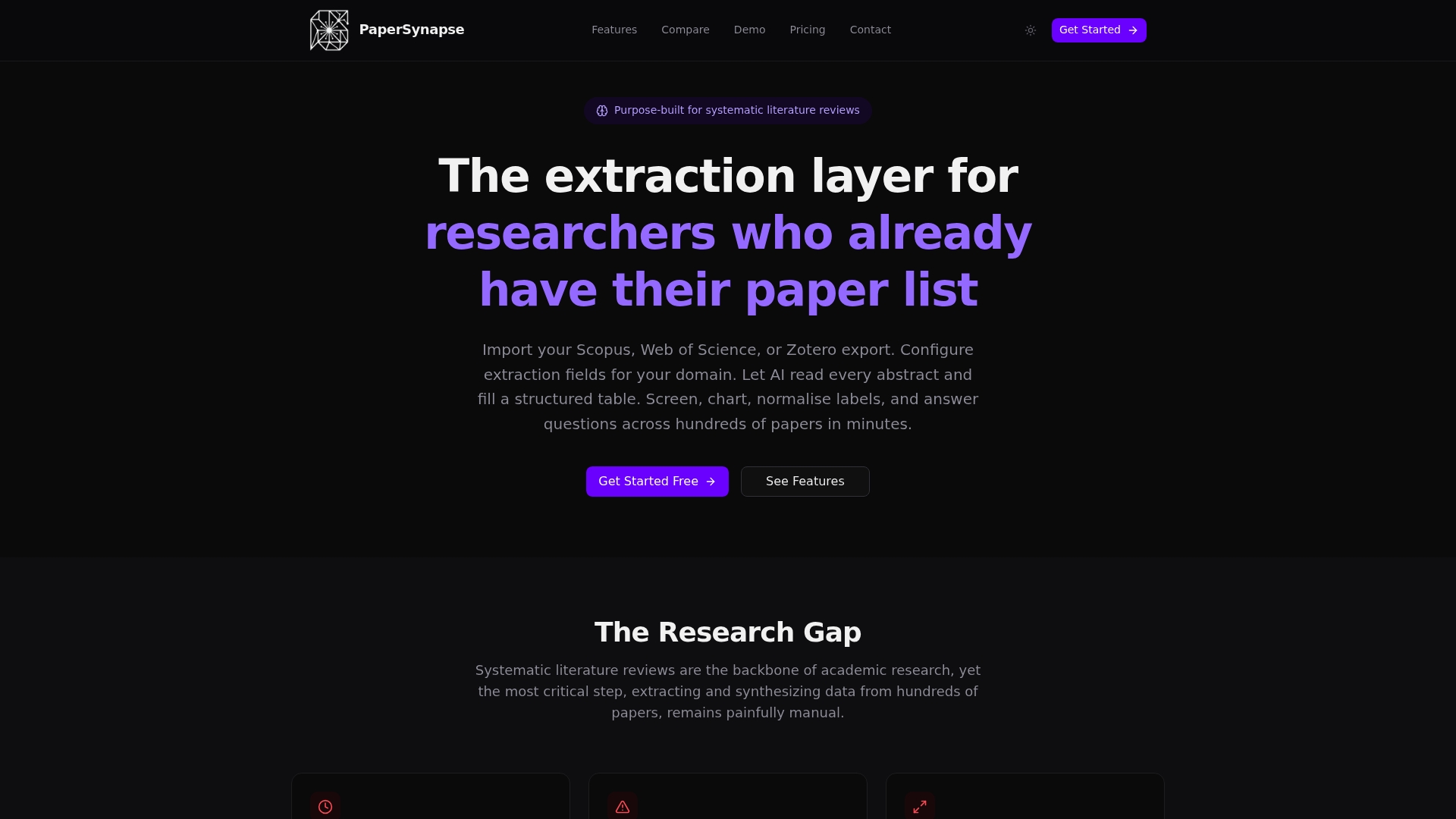
Papersynapse closes that gap. Import your deduplicated reference set directly from Scopus, Web of Science, or any RIS/CSV export, build a hierarchical screening form with yes/no/unsure fields, and assign records to screeners with decision masking built in. The AI-assisted prioritization surfaces likely-relevant records early so your team finds inclusion examples fast and calibrates the protocol before screening hundreds of borderline cases. Every decision is logged with screener ID and timestamp, and the PRISMA-compliant export is generated automatically when screening ends.
The free tier lets you run a pilot round and test the import workflow before committing. Paid tiers scale by paper volume, so a small team running a 1,000-record review pays for what they use, not for enterprise capacity they do not need. Start your first screening project and see how far you get before you need to upgrade.
Useful sources
The sources below are the primary references behind this article’s recommendations. Citing them directly in your methods section strengthens the defensibility of your screening protocol.
-
Best Practice Guidelines for Abstract Screening Large-Evidence Systematic Reviews and Meta-Analyses (Polanin et al., 2019) — The foundational paper for this article. Covers screening form design, pilot testing, dual independent screening, reconciliation cadence, IRR thresholds, and fatigue management. Cite this when reporting your screening protocol.
-
Machine Learning-Assisted Abstract Screening on Learning Analytics: A Step-by-Step Tutorial — Practical walkthrough of ASReview and LLM-based screening, including the 95% recall finding and GPT-4o-Mini performance data. Useful for teams integrating ML tools and needing empirical performance benchmarks.
-
Title-Plus-Abstract Versus Title-Only First-Level Screening: A Case Study — Documents the sensitivity difference between Ti+Ab and title-only screening. Cite this when justifying your decision to screen full abstracts rather than titles alone.
-
Text Mining to Support Abstract Screening for Knowledge Syntheses: A Semi-Automated Workflow — Describes iterative text-mining workflows that screened 37–45% of abstracts while identifying approximately 90% of eligible records. Relevant for teams designing hybrid human-automation pipelines.
-
Best Practice Guidelines for Abstract Screening | Office of Justice Programs — The OJP-hosted version of the Polanin et al. guidelines, useful as a government-hosted citation for policy-facing reviews.
-
Step 4: Screening — Systematic Reviews (KUMC Library Guide) — A practical library guide covering screening steps, tool options, and PRISMA flow documentation. Good orientation resource for new team members.
-
Screening and Selection — USC Health Sciences Library — Covers screening workflows in health sciences systematic reviews, with tool recommendations and reporting guidance aligned to PRISMA 2020.