Build a Structured Research Database for Faculty
Build a Structured Research Database for Faculty
A structured research database for faculty is a centralized, semantically organized system that links publications, grants, expertise profiles, and collaboration records into a single queryable repository. Without this structure, research outputs scatter across spreadsheets, institutional repositories, and individual faculty drives, making systematic reviews and cross-departmental collaboration nearly impossible. The good news: you can build structured research database infrastructure for faculty using a combination of metadata standards, ontology design, and AI-assisted tools that reduce manual workload dramatically. This guide walks academic professionals and graduate students through every stage, from planning to maintenance.
What are the essential components for building a faculty research database?
A faculty research database requires five core data types: publications, grant records, teaching activities, collaboration networks, and faculty expertise profiles. Each type needs its own metadata schema, and those schemas must connect to each other through defined relationships. Treating these as isolated silos is the most common design mistake.
Metadata standards define how data is labeled, stored, and retrieved. A well-designed schema includes fields like author identifiers (ORCID), funding agency codes, subject classifications (using controlled vocabularies like the Library of Congress Subject Headings), and publication DOIs. Semantic richness at the metadata level is what separates a searchable database from a glorified file cabinet.

The most effective structural model for a faculty expertise database uses a three-tiered hierarchy: department at the top, programs or specializations in the middle, and individual faculty members at the base. This model supports queries like “find all faculty in the College of Engineering who work on machine learning and have active federal grants.” Without that hierarchy, the query fails.
Defining competency questions before writing a single line of schema is the step most teams skip. Competency questions are plain-language queries the database must answer, such as “Which faculty have co-authored with researchers at peer institutions in the last three years?” Writing these questions first forces you to design for real use cases, not hypothetical ones.
Essential components and metadata fields:
| Component | Key Metadata Fields |
|---|---|
| Faculty profiles | Name, ORCID, department, specialization, keywords |
| Publications | DOI, title, journal, year, co-authors, subject tags |
| Grants | Funding agency, award number, period, PI, co-investigators |
| Teaching activities | Course codes, semester, student enrollment, research integration |
| Collaboration records | Partner institutions, project type, output links |
Which tools help build and manage a faculty research database?
Manual profile creation takes up to 20 hours per faculty member. AI-assisted curation tools cut that time substantially by extracting metadata from CVs, publication databases, and institutional repositories automatically. That time savings compounds across a department of 50 or 100 faculty.
Research information management systems centralize the workflow. These platforms connect faculty profiles to publication records, grant data, and reporting dashboards in one environment. Researchers spend up to 40% of their time on administrative tasks. Centralized management systems can speed report generation by 50–70%, freeing faculty to focus on actual research.
For semantic modeling, ontology editors like Protégé allow you to define classes, properties, and relationships between data entities. Protégé is open-source and widely used in academic settings to build faculty expertise ontologies. The output is a formal knowledge graph that a database can query with precision.
APIs and integrations with external databases like Scopus, Web of Science, and PubMed automate data ingestion. Instead of manually entering publication records, the system pulls them on a schedule. Bi-directional integration between institutional repositories and research outputs is the key to keeping data reliable without constant manual intervention.
Generic tool categories and their functions:
- AI-assisted profile curation tools: Extract metadata from CVs and publication records; reduce manual data entry.
- Research information management platforms: Centralize publications, grants, and reporting in one system.
- Ontology editors: Define semantic relationships between data entities for richer querying.
- API integration layers: Connect to external databases like Scopus or Web of Science for automated data pulls.
- Data quality and audit tools: Flag inconsistencies, track changes, and maintain audit trails.
Pro Tip: Before selecting any tool category, map your competency questions to the query capabilities of each system. A tool that cannot answer your most critical research question is not the right tool, regardless of its other features.
What step-by-step process should you follow to create a faculty research database?
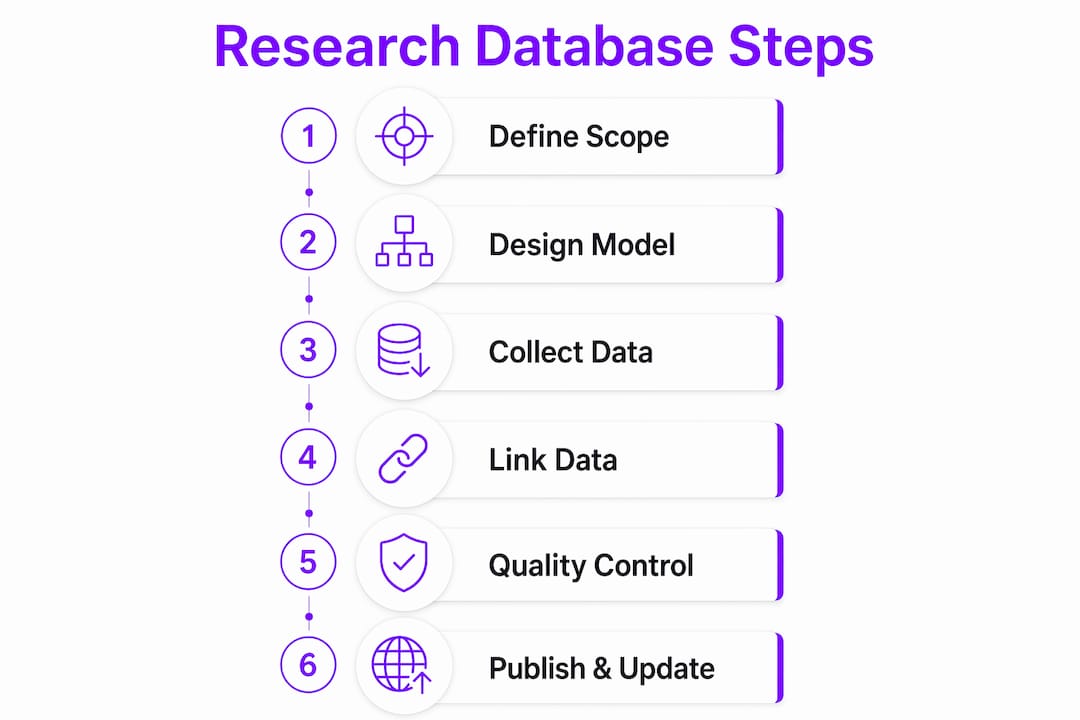
Building a faculty research database follows six distinct stages. Skipping any stage creates problems that are expensive to fix later.
1. Define scope and competency questions. List every question the database must answer. Include questions from faculty, department chairs, grant administrators, and research offices. This list becomes your design specification.
2. Design the data model before entering any data. Custom data models that link specific data types, such as experiments to specimens or publications to grants, before data entry is critical for long-term flexibility. Skipping this step leads to “rigid spreadsheet syndrome,” where the structure cannot accommodate new data types without breaking existing records.
3. Collect and verify source data. Gather CVs, publication lists, grant records, and teaching logs. Verify each record against authoritative sources like ORCID profiles or institutional HR systems. Do not trust self-reported data without cross-referencing.
4. Structure and link the data. Apply your metadata schema to each record. Link publications to faculty profiles, grants to projects, and collaborations to partner institutions. Use controlled vocabularies for subject tags to keep terminology consistent across departments.
5. Implement quality controls and audit trails. Set up validation rules that flag missing required fields, duplicate records, and format inconsistencies. Maintain a raw inputs folder that preserves original source documents untouched. This folder is your audit baseline and prevents AI-assisted tools from overwriting original data with hallucinated metadata.
6. Publish and schedule updates. Make the database accessible to authorized users through a query interface or dashboard. Schedule automated data pulls from connected APIs. Assign a data steward to review flagged records monthly and approve bulk updates.
Pro Tip: Treat your first version as a prototype. Build it with 10–15 faculty profiles, run your competency questions against it, and fix structural problems before scaling to the full department. Fixing a schema error at 15 records takes an hour. Fixing it at 500 records takes a week.
Understanding data normalization approaches is also worth your time at this stage. Normalization rules determine how you handle variant author names, inconsistent journal titles, and duplicate records across sources.
How do you troubleshoot common challenges in faculty database management?
The single biggest challenge in faculty database management is unstructured source documents. CVs arrive in dozens of formats, with inconsistent date conventions, non-standard field names, and missing identifiers. The solution is a structured intake process: require faculty to submit data using a standardized template, and use AI extraction tools only after the template is filled.
Scalability problems appear when the original data model cannot accommodate new data types. A database built only for publications breaks when the research office needs to add clinical trial registrations or data sharing agreements. Defining relationships early between data types prevents this. A flexible schema accommodates new entity types without restructuring existing records.
Data consistency across departments is another persistent problem. Faculty in one department may tag their work under “machine learning” while another uses “artificial intelligence” for identical research. A controlled vocabulary enforced at the input stage solves this. Without it, cross-departmental queries return incomplete results.
Successful research databases provide structured repositories supporting experiment registries and citation audit tables that compound work instead of scattering it. The goal is not to archive files. The goal is to build infrastructure where each new record makes the whole system more useful.
User adoption is the challenge that kills otherwise well-designed databases. Faculty who see the system as extra administrative work will not maintain their profiles. The fix is demonstrating value early. Show faculty how the database surfaces their work in grant applications, collaboration requests, and institutional reports. Documentation and short training sessions reduce friction at the point of entry.
Common challenges and recommended solutions:
- Unstructured CV data: Use standardized intake templates before AI extraction.
- Schema rigidity: Define custom data models and relationships before entering data.
- Inconsistent terminology: Enforce controlled vocabularies at the input stage.
- Low user adoption: Demonstrate concrete value to faculty through reporting and discovery features.
- AI metadata errors: Preserve a raw inputs folder untouched by automated tools.
Key Takeaways
A structured faculty research database succeeds only when its schema, tools, and workflows are designed around real user queries before any data is entered.
| Point | Details |
|---|---|
| Define competency questions first | Write plain-language queries the database must answer before designing any schema. |
| Use a three-tier hierarchy | Structure data as department, specialization, and faculty member for precise querying. |
| Preserve raw input data | Keep original source documents untouched to maintain audit integrity and prevent AI errors. |
| Automate data ingestion via APIs | Connect to Scopus or Web of Science to reduce manual entry and keep records current. |
| Design custom data models early | Link data types before entry to avoid rigid structures that break when new data types appear. |
Why I think most faculty databases fail before they launch
Most faculty research databases fail not because of bad tools, but, because of bad sequencing. Teams choose a platform, import data, and then discover the structure cannot answer the questions that matter. The competency question step feels bureaucratic, so it gets skipped. Six months later, the database is live but nobody uses it because it cannot surface the insights the research office actually needs.
The deeper issue is treating a research database as a static archive rather than a dynamic, agent-ready repository. A static archive stores records. A dynamic repository compounds them. Structured repositories with citation audit tables make every new record more valuable than the last, because it connects to existing records in meaningful ways. That compounding effect is what justifies the investment.
My strongest recommendation: keep your raw data clean and separate from any AI-processed output. AI tools are genuinely useful for metadata extraction, but they make mistakes. If you let AI overwrite your source documents, you lose the ability to audit those mistakes. A clean raw inputs folder is not optional. It is the foundation of a reproducible, trustworthy database.
The future of faculty research management points toward databases that AI agents can query directly, not just humans. Building with that end state in mind means prioritizing semantic richness, clean relationships, and open standards from day one. The teams that do this now will have a significant advantage when AI-assisted research synthesis becomes standard practice.
— Ubada
How Papersynapse fits into your research database workflow
Building a faculty research database creates the structure. Papersynapse fills it faster.
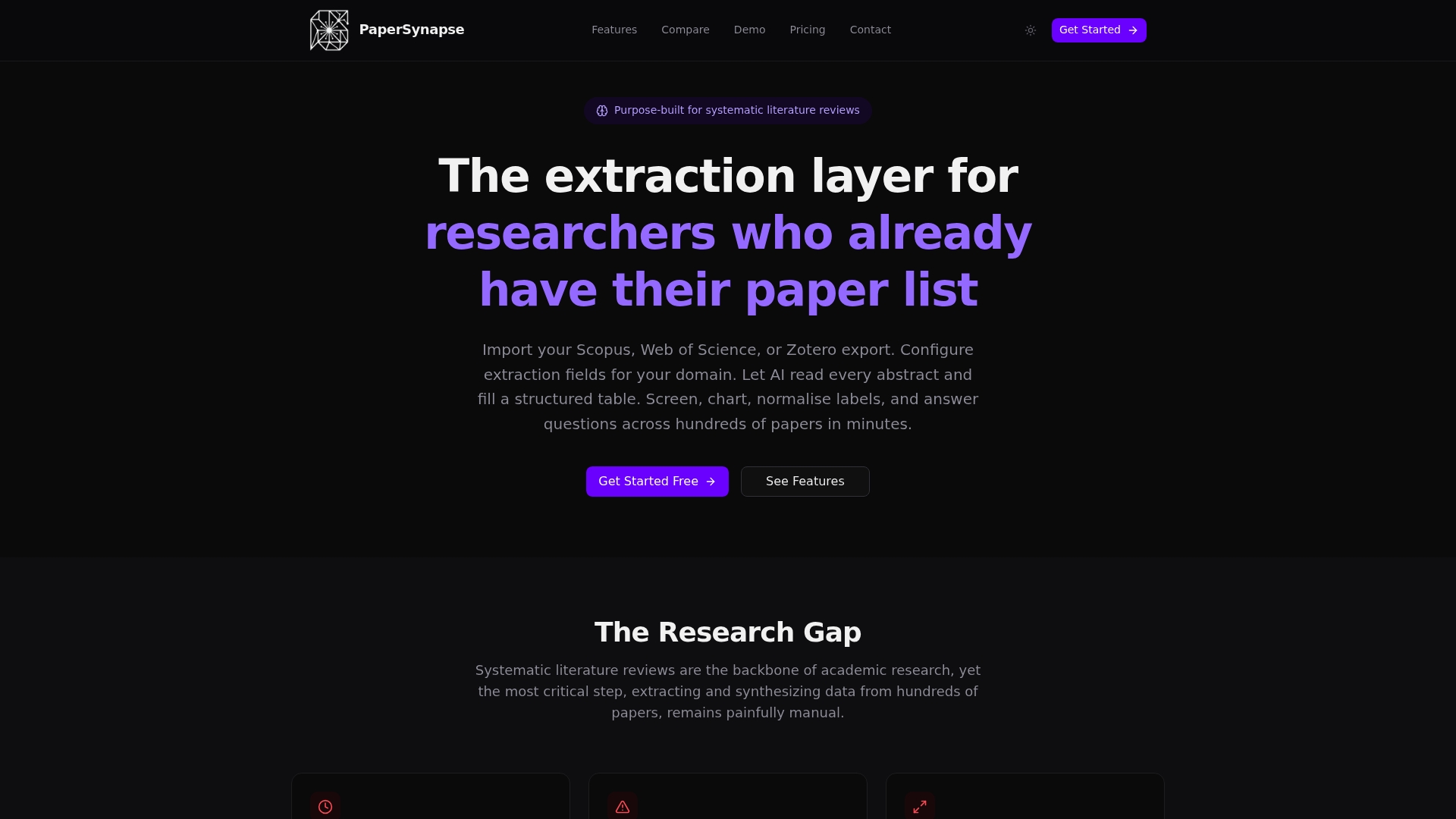
Papersynapse uses AI to read research paper abstracts and extract structured data directly into tables, processing up to 200 papers in under two minutes. For faculty teams running systematic reviews, that speed changes what is possible in a single workday. You can import references directly from Scopus or Web of Science, and the platform handles extraction, normalization, and analysis in one workflow. If your database needs structured literature review tables populated quickly and consistently, Papersynapse is built for exactly that task. Visit Papersynapse to see how it fits your research workflow.
FAQ
What is a structured research database for faculty?
A structured research database for faculty is a centralized system that organizes publications, grants, expertise profiles, and collaboration records using defined metadata schemas and semantic relationships. It supports querying, reporting, and cross-departmental discovery.
How long does it take to build a faculty research database?
Timeline depends on scope and tools. AI-assisted curation tools reduce manual profile creation from up to 20 hours per faculty member to a fraction of that time, making department-wide databases achievable in weeks rather than months.
What metadata standards should a faculty database use?
Use ORCID for author identification, DOIs for publications, and controlled subject vocabularies like Library of Congress Subject Headings. A three-tiered hierarchy linking departments, specializations, and faculty members adds semantic depth.
How do you maintain data quality in a faculty research database?
Set validation rules for required fields, enforce controlled vocabularies, and preserve a raw inputs folder that AI tools cannot overwrite. Schedule monthly reviews by a designated data steward to catch and resolve flagged inconsistencies.
Can AI tools replace manual data entry for faculty databases?
AI tools reduce manual entry substantially but do not replace human verification entirely. They excel at extracting metadata from structured sources like Scopus, but require human review for unstructured documents like CVs to catch extraction errors.