Chat With Papers: Citation Backed Q&A and Reproducible Exports
Chat With Papers: Citation Backed Q&A and Reproducible Exports
Chat with papers means asking an AI tool questions about a PDF and getting answers tied to the actual text, complete with page references and citations you can check. For researchers, the payoff is faster summaries, citation-backed Q&A, and structured data extraction without retyping tables by hand. The practical move is using a document-grounded tool built for academic work, like PaperSynapse, rather than a general chatbot that guesses at what a paper says.
TL;DR:
- Most AI-powered paper chat tools rely on retrieval-augmented generation, emphasizing citation-backed responses with page references for better reliability.
- Features like clickable citations, confidence scores, multi-document chat, and export options are essential for research-grade tools, especially during systematic reviews.
- Building verification habits—such as asking section-specific questions and cross-checking citations—is more crucial for accuracy than the choice of platform.
- For large-scale literature reviews, platforms like PaperSynapse automate data extraction from hundreds of papers, significantly reducing processing time.
- Proper format support, OCR quality, and privacy settings are important considerations, especially when working with scanned documents or unpublished data.
Table of Contents
- How Does Document-Grounded Paper Chat Actually Work?
- What Features Matter Most in a Paper-Chat Tool?
- A Step-by-Step Workflow for Summarizing and Extracting Data
- How Do You Avoid AI Hallucinations When Reading Papers?
- Which Research Tasks Benefit Most From Chatting With Papers?
- How Does PaperSynapse Match This Feature Checklist?
- What File Formats Can You Actually Chat With?
- Where Do These Tools Still Fall Short?
- How Do Popular Chat-With-Papers Platforms Differ?
- How Do You Set Up Your First Paper-Chat Session?
- What Ethical Questions Should Researchers Ask Before Relying on This?
- Why Verification Habits Matter More Than the Tool You Pick
- Get Citation-Backed Extraction Built for Systematic Reviews
- Sources
How Does Document-Grounded Paper Chat Actually Work?
The magic isn’t really magic. It’s a pipeline, and understanding it tells you where to trust the output and where to double-check it.
When you upload a PDF, the system first runs it through processing steps that turn a static document into searchable text. Scanned papers need optical character recognition (OCR) before anything else can happen. After that, the tool segments the document into sections, chunks those sections into sentences or passages, and converts each chunk into a vector, a numerical representation the model can search efficiently.
That indexing sets up the core mechanism: retrieval-augmented generation, or RAG. Instead of answering from general training knowledge, the model retrieves the specific passages most relevant to your question and builds its answer from them. This is what PaperPersiChat’s architecture is built around: document-grounded retrieval paired with discourse flow management, so responses stay tied to what the paper actually says rather than what a language model assumes papers usually say.
The output you see typically includes:
- Page-level or sentence-level citations pointing to the exact source location
- Confidence indicators showing how strongly the retrieved passage supports the answer
- Clickable links that jump straight to the relevant spot in a built-in PDF viewer
A newer wrinkle worth knowing about: some research interfaces now support multi-agent “thought exchanges,” where multiple AI agents surface different interpretations of a passage during reading, prompting you to compare perspectives rather than accept one answer at face value.
What Features Matter Most in a Paper-Chat Tool?
Not every tool built to “chat with research papers” is built the same way. Some are glorified summarizers. Others are genuinely research-grade. Here’s what separates the two:
- A built-in PDF viewer with clickable citations. You should be able to click any citation and land on the exact page and sentence it came from, not just a vague page number typed into a chat bubble.
- Citation-backed answers with confidence scores. Documentation from Paperguide describes this pairing, page and sentence references alongside a confidence indicator, as standard for research-grade tools.
- Multi-file chats with paper-specific mentions. Tagging a specific document (something like an “@paper” reference) inside a conversation spanning multiple PDFs lets you compare findings without losing track of which paper said what.
- Reference manager integration. Look for DOI or arXiv import, plus CSV/RIS export so your citation data moves cleanly between tools instead of getting retyped.
- Structured export and collaboration. Tables, CSV downloads, and shared workspaces matter enormously once you move past a single paper into an actual review.
- Privacy controls. No-training or no-retention settings matter if you’re working with unpublished manuscripts or sensitive data.
Pro Tip: Before committing to any tool, upload one paper you already know well and ask it a question you know the answer to. If the citation doesn’t point to the right passage, that’s your answer about reliability.
A Step-by-Step Workflow for Summarizing and Extracting Data
Getting good output from a paper-chat tool isn’t about typing a vague question and hoping. It’s a sequence.
- Prepare your files first. Import metadata from your reference manager (Zotero, EndNote, or a CSV/RIS export) so titles, authors, and DOIs are attached before you start chatting.
- Let indexing finish. Processing usually takes seconds to a couple of minutes depending on file size and page count. Check for a progress indicator before assuming the tool is ready.
- Open with section-scoped prompts. Instead of “summarize this paper,” try “What does section 4 say about sample size?” Practitioner guidance from Mistral’s product documentation backs this up: pointing the model at a specific section reduces missed nuance and cuts down on hallucinated answers.
- Ask for exact quotes and page numbers. Every claim you plan to use in a review should come with the sentence it’s drawn from.
- Iterate toward structure. Once you’ve confirmed an answer is accurate, ask the tool to reformat it into a table row or CSV entry.
- Export and feed into your synthesis pipeline. Structured exports with quoted sentences, page numbers, and citation keys (DOI or PMID) keep your PRISMA-compliant screening traceable back to source.
How Do You Avoid AI Hallucinations When Reading Papers?
Hallucination is the biggest risk in any AI paper-chat workflow, and it’s also the most manageable one if you build verification into your habits instead of treating it as an afterthought.
The single highest-value habit: always ask for the supporting sentence and page number before you trust a claim. If the tool can’t produce one, treat the answer as unverified.
A two-week study of 46 junior researchers found that agent-mediated thought exchanges during paper reading improved critical-reading scores compared with reading unassisted, though multi-agent formats sometimes risked overwhelming users with too many competing viewpoints. That cuts both ways: AI conversation can sharpen your reading, but only when you’re actively cross-checking rather than passively accepting.
Other tactics worth building into every session:
- Use section-scoped questions (“What does the discussion section say about limitations?”) rather than open-ended ones
- Cross-check every AI answer against the open PDF viewer, not just the chat window
- Compare exported highlights or CSV rows against the original text before they enter a synthesis table
- Favor tools that display confidence scores next to citations, since a low-confidence flag is your cue to read the source passage yourself
Grounding to the source document, not general model knowledge, is the design principle that separates reliable tools from ones that sound authoritative and aren’t.
Which Research Tasks Benefit Most From Chatting With Papers?
Some workflows barely benefit from this technology. Others get transformed by it.
- Systematic literature reviews see the biggest gains: screening hundreds of abstracts and extracting structured data by hand is exactly the bottleneck AI extraction targets.
- Rapid triage of large result sets works well when you need to prioritize relevance across dozens of search results before committing to full reads.
- Drafting literature-review sections benefits from citation-backed quotes pulled directly from source text, cutting the risk of misremembering a finding.
- Teaching and study prep gets easier when a tool translates a dense methods section or a complicated figure into plain-language explanation for students.
Multi-document comparison, common in tools built for academic PDF chat, is particularly useful for the triage and comparative-drafting cases, letting you hold several papers’ findings side by side in one conversation.
How Does PaperSynapse Match This Feature Checklist?
PaperSynapse was built specifically for the extraction and screening bottleneck that dominates systematic literature reviews, the stage where a researcher manually reads hundreds of abstracts and fills in a spreadsheet by hand.
- Exports to CSV, RIS, and PNG formats, useful for feeding results into PRISMA-compliant screening or a synthesis table
- Includes team collaboration features for labeling consistency across multiple reviewers
- Offers real-time AI chat Q&A over your entire literature dataset, not just one paper at a time
| Capability | Why it matters for reviews |
|---|---|
| Scopus / Web of Science import | Skips manual bibliographic re-entry |
| Sub-2-minute processing for 200 papers | Cuts the single biggest time cost in screening |
| CSV/RIS/PNG export | Keeps data portable for PRISMA workflows |
| Real-time chat Q&A across datasets | Lets you query findings across your whole review, not just one PDF |
For a deeper look at how the abstraction step works, PaperSynapse’s guide to AI abstraction walks through the underlying methodology.
What File Formats Can You Actually Chat With?
PDF is the default, but it isn’t the only format researchers need. Word documents (.docx), HTML pages, and plain text files are increasingly supported by research-grade chat tools, which matters if your literature search pulls in preprints, web-published protocols, or supplementary materials that were never formatted as PDFs.
Scanned documents are the trickiest case. Older papers, especially ones digitized from print journals, often arrive as image-based PDFs with no selectable text underneath. That’s where OCR becomes non-negotiable rather than optional. A tool without solid OCR will either reject the file or, worse, silently fail to index sections of it, leaving you with citations that point to blank space.
Quality varies a lot depending on scan resolution and font clarity. A crisp, modern scan of a typed manuscript OCRs cleanly. A photocopied 1987 paper with handwritten annotations in the margins is a different problem entirely, and no current OCR engine handles that flawlessly. If you’re working with older or lower-quality scans, budget extra time to manually verify a sample of extracted text against the original image before you trust bulk output.
Multi-format support also matters for the reference-management side of the workflow. If your citation data lives in HTML export files from a database or DOCX files from a collaborator, a chat tool that only accepts PDF forces you into unnecessary conversion steps. Look for platforms that handle format diversity as a baseline feature rather than an edge case.
Where Do These Tools Still Fall Short?
No paper-chat tool is infallible, and pretending otherwise sets researchers up for citation errors that slip into published work.
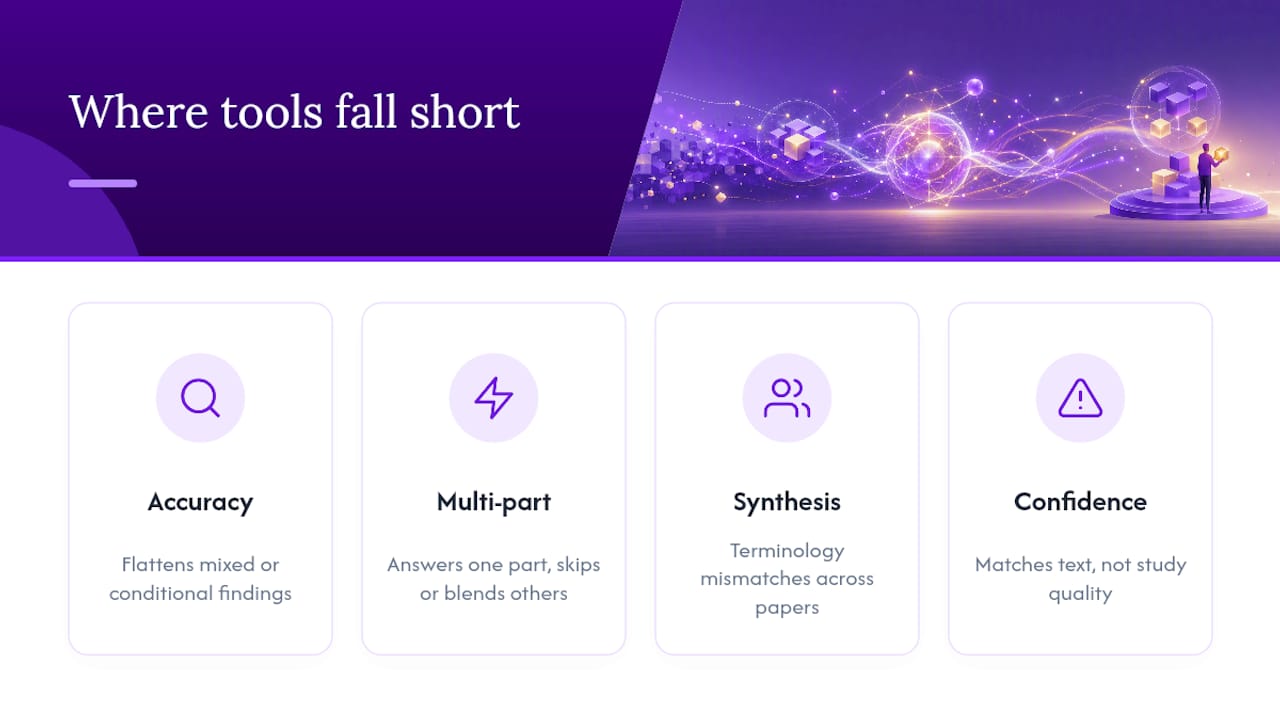
Accuracy on ambiguous or compound questions remains the weakest point. Ask a tool “does this paper support hypothesis X?” when the paper’s findings are mixed or conditional, and you’re likely to get an answer that flattens nuance the authors intentionally preserved. Models tend to favor a decisive-sounding answer over an accurately hedged one, which is the opposite of what careful research writing requires.
Multi-part questions cause similar trouble. Asking about sample size, methodology, and statistical significance in a single prompt often produces an answer that nails one part and quietly skips or blends the others. Breaking compound questions into single, section-scoped prompts, the same discipline recommended earlier for reducing hallucinations, addresses this directly.
Cross-paper synthesis is harder than single-document Q&A. A tool that handles one paper cleanly can struggle to reconcile terminology differences across a dozen papers using different definitions for the same construct, something systematic reviewers run into constantly during data extraction.
Finally, confidence indicators aren’t infallible either. A high confidence score means the retrieved passage closely matches the question’s language, not that the underlying claim is scientifically sound. A poorly designed study can still produce a high-confidence citation. The tool grades textual match, not research quality, and that distinction is easy to forget mid-review.
How Do Popular Chat-With-Papers Platforms Differ?
The category splits roughly into three tiers. General-purpose AI chat tools, adapted for PDF upload, tend to lack persistent citation tracking and often summarize from general knowledge rather than strictly grounding answers in the uploaded text. They’re fine for a quick gist, risky for anything you plan to cite.
Single-paper chat tools occupy the middle tier. Products in this category, including platforms like ChatPDF, support multi-document sessions and let you compare claims across several PDFs in one conversation, a real improvement over one-paper-at-a-time tools. These work well for individual researchers doing focused reading but weren’t built around the screening and extraction workflow a systematic review demands.
The third tier, extraction-and-synthesis platforms, is built around the review pipeline itself rather than single-document conversation. This is where PaperSynapse sits: reference import from Scopus and Web of Science, automated abstract extraction into structured tables, and normalization across hundreds of papers at once, all wrapped around a chat interface rather than the other way around.
The right choice depends on your task’s scale. Reading one paper closely calls for a lighter tool. Screening 400 abstracts for a systematic review calls for a platform designed around bulk extraction and PRISMA-style workflows, not a chat window bolted onto a PDF reader.
How Do You Set Up Your First Paper-Chat Session?
Getting started takes less time than most researchers expect, usually under ten minutes for a first working session.
Start by gathering your files. Export your reference list from Zotero, EndNote, or your database of choice as a CSV or RIS file if the platform supports metadata import, this saves you from manually typing titles and DOIs later. Upload your PDFs, ideally in a single batch if your tool supports multi-file upload, so indexing happens once rather than paper by paper.
Wait for processing to complete before you start asking questions. Most platforms show a progress indicator, and asking questions mid-index tends to produce incomplete or inaccurate retrieval since the vectorization pipeline hasn’t finished chunking the document yet.
Once indexing finishes, run a calibration test: ask a question about a section you’ve already read carefully, and check whether the citation points to the right passage. This single step tells you more about a tool’s reliability than any feature list.
From there, build a habit of section-scoped prompting rather than broad questions, and set your privacy preferences (no-training, no-retention) before uploading anything sensitive or unpublished. For teams, this is also the point to bring in collaboration tools for coordinating a multi-researcher review, since setting shared conventions early avoids inconsistent extraction later.
What Ethical Questions Should Researchers Ask Before Relying on This?
Using AI to converse with academic papers raises questions that go beyond accuracy.
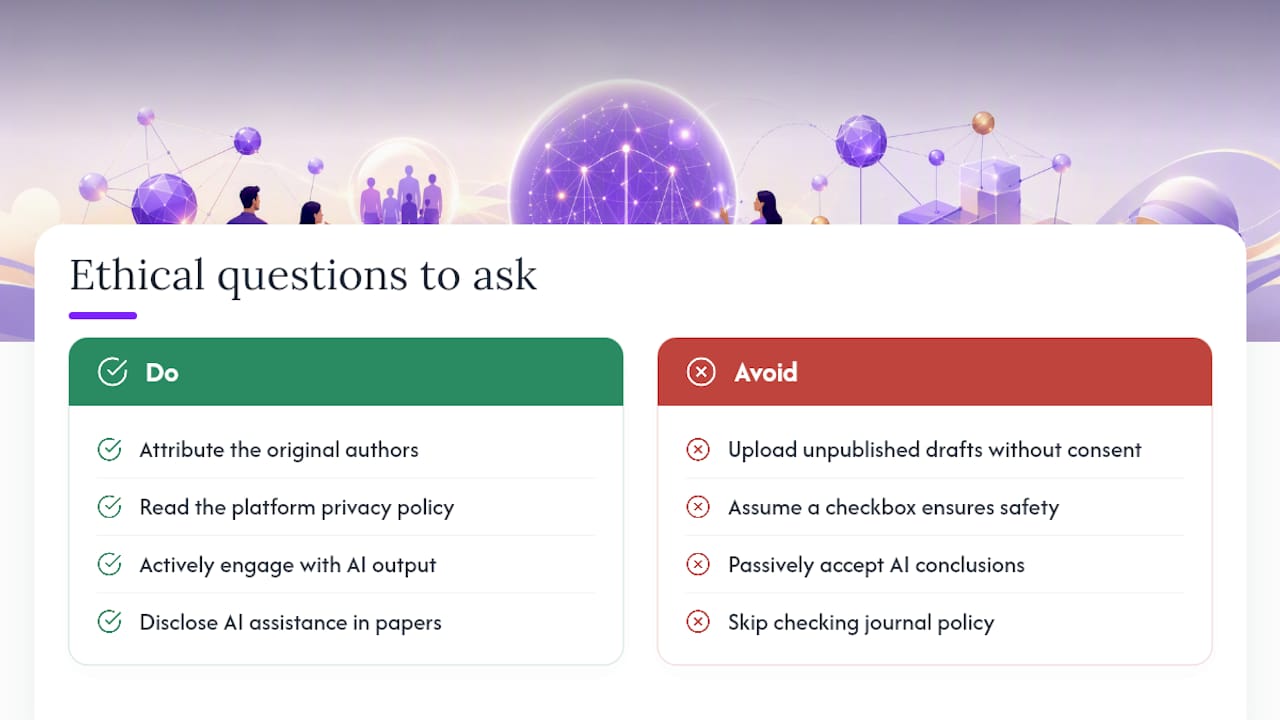
Attribution is the first one. If an AI tool summarizes a paper’s argument and that summary ends up shaping your literature review’s framing, the underlying ideas are still the original authors’, and citation practices should reflect that regardless of how the summary was generated.
Data privacy matters more than most researchers initially assume, especially with unpublished manuscripts, grant proposals under review, or proprietary datasets. Uploading a colleague’s unpublished draft to a cloud-based chat tool without their knowledge raises consent issues that have nothing to do with the AI itself and everything to do with basic research ethics. No-training and no-retention settings help, but reading a platform’s actual policy matters more than assuming a checkbox covers you.
Over-reliance is the subtler risk. A tool that reliably answers section-scoped questions can quietly erode a researcher’s own close-reading habits over time, particularly for students still developing the skill of critically evaluating a paper’s methodology rather than accepting a stated conclusion. The thought-exchange study found AI-assisted reading improved critical-thinking scores in controlled conditions, but that result depended on active engagement with the AI’s output, not passive acceptance of it.
Finally, transparency in published work matters. If AI-assisted extraction contributed to your review’s data table, disclosing that method is becoming standard practice in systematic review reporting, and it’s worth checking your target journal’s policy before submission.
Why Verification Habits Matter More Than the Tool You Pick
The conventional advice on AI paper tools treats accuracy as a feature to shop for, something you compare across pricing pages like storage limits or file caps. That framing misses the point. Accuracy isn’t a fixed property of a tool. It’s a product of how you use it.
A researcher who asks section-scoped questions, demands page numbers on every claim, and cross-checks a sample against the source PDF will get reliable output from almost any document-grounded tool. A researcher who accepts broad, unscoped answers at face value will get burned by even the best platform on the market. The research on section-scoped prompting backs this up directly: specificity in the question drives specificity, and accuracy, in the answer.
Where I’d push back on the common wisdom is the idea that confidence scores are a substitute for reading the source. They’re a triage tool, not a verification tool. Treat a high confidence score as permission to check faster, not as permission to skip checking.
What should come first, before comparing feature lists, is building the habit: quote, page number, cross-check. Everything else, including which platform you choose, matters less than that discipline.
— Ubada
Get Citation-Backed Extraction Built for Systematic Reviews
If you’ve read this far, you already know the real bottleneck in a literature review isn’t finding papers, it’s reading and categorizing hundreds of them without losing consistency or wasting weeks. This platform supports importing reference lists from major sources and utilizes AI to extract data from abstracts into structured tables.
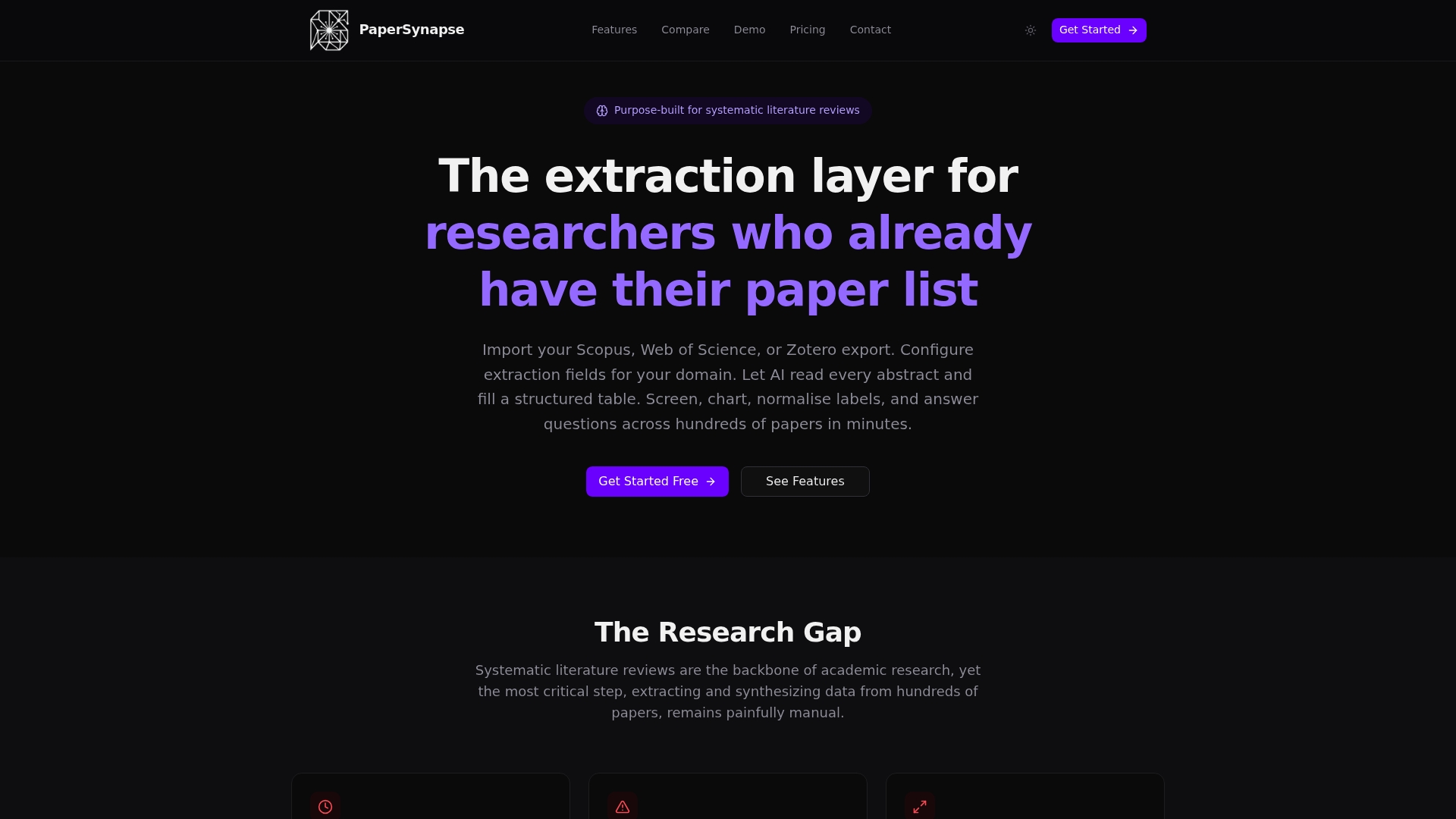
The platform’s claim of processing up to 200 papers in under two minutes targets exactly the manual bottleneck this article has been describing, extraction that’s normally slow, subjective, and error-prone when done by a tired human at 11 p.m. before a deadline, as illustrated in the research funnel of methods. Results export to common data and visualization formats, and team collaboration features help maintain consistency across reviewers. If your next systematic review involves more than a handful of papers, start with PaperSynapse’s product page and see how the extraction workflow fits your reference list.
Sources
- LLM-based in-situ thought exchanges for critical paper reading
- PaperPersiChat (GitHub) — scientific paper discussion chatbot pipeline