Cochrane Data Extraction: A Practical, Piloted Playbook
Cochrane Data Extraction: A Practical, Piloted Playbook

Use a piloted, study-centric extraction form and run independent duplicate extraction for every outcome, with a pre-specified process for resolving disagreements. That single decision determines whether your data extraction holds up to Cochrane’s Methodological Expectations of Cochrane Intervention Reviews (MECIR) standards or falls apart during peer review.
Before you touch a single paper, do these three things:
- Set up study-centric identifiers first: one ID per study, a separate report ID for each linked publication, trial registry entry, or clinical study report.
- Pilot your extraction form on 5 to 10 records before full-scale extraction, then revise the field definitions based on what confused your extractors.
- Extract every outcome in duplicate, and write down your conflict-resolution rule (usually a third reviewer) in the protocol before you start, not after your first disagreement.
Cochrane keeps official data extraction templates formatted for direct RevMan import, and adapting one of these instead of building from scratch saves you the headache of mismatched field names later.
Pro Tip: Save your extraction form as a versioned file (v1, v2, v3) from day one. When a reviewer asks “which definition of ‘response’ did you use for the March batch,” you want an answer in seconds, not an afternoon of digging through email threads.
Key Takeaways
Reliable Cochrane data extraction depends on a piloted, study-centric form combined with mandatory independent duplicate extraction and a pre-specified conflict resolution process.
| Point | Details |
|---|---|
| Use study-centric IDs | Assign one study ID with linked report IDs before extraction begins to prevent duplicate-entry errors. |
| Pilot before full extraction | Test the form on 5 to 10 diverse records, revise ambiguous fields, and repeat if changes are substantial. |
| Extract outcomes in duplicate | Two independent extractors plus a pre-specified third-reviewer process are required for outcome data. |
| Flag every derived number | Mark imputed, author-provided, or CI-derived values distinctly so later reviewers can audit them. |
| Let automation assist, not decide | Papersynapse can pre-fill extraction fields from abstracts, but duplicate human verification of outcomes stays mandatory. |
Table of Contents
- What Is Cochrane Data Extraction, and When Should It Start?
- What Data Should You Extract for a Cochrane Review?
- How Do You Design and Pilot an Extraction Form?
- How Do You Extract Outcome Data for Meta-Analysis?
- What Do You Do About Missing or Unclear Data?
- How Does Duplicate Extraction and Conflict Resolution Work?
- What Should You Extract for Risk-of-Bias Judgments?
- How Do You Build the Characteristics and Summary of Findings Tables?
- Which Tools and Templates Actually Work for Extraction?
- Where Does AI Fit Into Cochrane-Style Extraction?
- What Mistakes Show Up Most Often, and How Do You Fix Them?
- Where Automated Extraction Fits Without Cutting Corners
- Frequently Asked Questions
- Sources
What Is Cochrane Data Extraction, and When Should It Start?
Cochrane data extraction is the process of pulling structured information from included study reports into a standardized form so it can feed the review’s analysis, tables, and risk-of-bias judgments. Done right, it produces three things: accurate numbers, a clear record of where every number came from, and a workflow another researcher could repeat and get the same result.
That last point is the one teams underestimate. The Cochrane Handbook’s Chapter 5 treats the extraction form itself as the provenance record, meaning it documents not just what you extracted but the decisions behind ambiguous calls. If a reviewer questions why you coded a six-week outcome as “short-term” instead of “medium-term,” your form should already have the answer.
Start building and piloting your form during the screening phase, not after. Waiting until all full-text screening wraps up means you discover form problems only after you’re staring down a stack of 80 papers, which is the worst possible time to redesign a field.
Your sources for extraction go beyond the published article:
- Trial registry entries (ClinicalTrials.gov, ISRCTN) often list outcomes or sample sizes that never made it into the paper.
- Clinical study reports (CSRs), when accessible, frequently contain unpublished secondary outcomes and adverse event detail.
- Individual participant data (IPD), where a research group has negotiated access, allows recalculation of statistics the published report never reported.
- Direct correspondence with study authors, which you should log formally rather than treat as an informal aside.
Every one of these sources needs to link back to a single study ID, even when five different reports describe the same trial. The workflow, in sequence, looks like this: search and screen, draft and pilot the form, extract in duplicate, resolve disagreements, then export to RevMan-compatible format.
What Data Should You Extract for a Cochrane Review?
Build your form around what the analysis actually needs, not every field a study report might contain. The Cochrane Handbook explicitly recommends designing extraction around the planned analysis, because chasing every conceivable data point wastes hours and produces a form nobody can pilot consistently.
Start with identifiers, because everything else depends on getting this layer right:
- Study ID: one unique code per trial, assigned before extraction begins.
- Report ID: a separate code for each publication, registry entry, or conference abstract tied to that study.
- Citation details: authors, year, journal, and registry number, all linked to the study ID rather than scattered across report-level entries.
A common practical error in early-stage reviews is treating each report as its own study, which creates duplicate entries and inflates apparent sample sizes in your analysis. A study-centric structure from the outset prevents that.
Next comes the core study characteristics layer: design (parallel, cross-over, cluster-randomized), setting, eligibility criteria, sample size at randomization, baseline characteristics for each arm, intervention details including dosage and duration, and a precise description of the comparator (placebo, usual care, active comparator).
Outcome definitions deserve their own careful pass. For every outcome, record the exact name as reported, every time point at which it was measured, the measurement instrument or scale used, the unit, whether the outcome was designated primary or secondary in the original protocol, and the analysis method the study authors reported (intention-to-treat versus per-protocol, for instance).
Then come the numbers meta-analysis actually consumes:
- Means and standard deviations for continuous outcomes, by arm and by time point.
- Event counts and denominators for dichotomous outcomes.
- Person-time or incidence rates where the outcome is time-dependent.
- Hazard ratios with confidence intervals for time-to-event data.
- Exact p-values or confidence intervals when the raw statistic isn’t reported.
Here’s what a single extracted study row might look like in practice:
Not every field carries equal weight. Always capture identifiers, sample sizes, and primary outcome data in full; treat secondary outcomes, exploratory subgroup results, and adverse event detail as optional depth you add once the core dataset is solid. Trying to extract everything at maximum resolution on the first pass is how piloting stalls.
How Do You Design and Pilot an Extraction Form?
Design your form backward from the analysis you plan to run, mapping every field to a RevMan import slot or a protocol-specified outcome before you finalize a single column. This single habit, more than any software choice, determines whether your extraction phase takes three weeks or three months.
Follow these steps in order:
- Draft a document-based form first. Build it in a spreadsheet or Word table before jumping to specialized software. This keeps the field list visible and easy to revise.
- Map every field to its destination. Each outcome field should correspond to a specific RevMan comparison and analysis; each characteristic field should correspond to a row in your eventual “Characteristics of included studies” table.
- Add provenance fields. For every extracted value, include a column for source (which report), page or paragraph number, and a direct quotation or close paraphrase.
- Build a codebook alongside the form. Define ambiguous terms explicitly: what counts as “adherence,” how you’ll code a three-arm trial, what happens when an outcome is reported at multiple time points.
- Pilot on 5 to 10 diverse reports, chosen to include at least one messy or atypical study design.
- Run the pilot independently, then compare results and flag every disagreement, not just the ones that seem significant.
- Refine the form based on where extractors disagreed or hesitated, then repeat piloting if the changes are substantial.
A methodological review of extraction form development found that this kind of iterative testing and extractor training measurably reduces downstream errors, and the effect is strongest when piloting happens on a genuinely diverse sample rather than five nearly identical trials.
Version control matters more than most teams initially budget for. Timestamp every form revision, keep a change log describing what shifted and why, and make the current version available to the review group on request, which is itself a MECIR expectation.

Pro Tip: Name your outcome fields to match RevMan’s expected labels exactly, character for character, from the first draft. The RevMan Knowledge Base warns that CSV imports fail silently or produce mismatched comparisons when field names don’t line up precisely with the review’s configured outcomes.
How Do You Extract Outcome Data for Meta-Analysis?
Always extract the most granular numeric data a report contains, and record exactly how you derived any number you had to calculate rather than lift directly. A reported “significant improvement, p<0.05” is nearly useless for meta-analysis; a 2x2 table of events and denominators, or a mean with its standard deviation, is what actually feeds a forest plot.
Cochrane guidance is explicit that reviewers should make maximal use of detailed numerical data, deriving missing statistics from what is reported rather than discarding a study outright. A few conversions come up constantly enough that it’s worth keeping the formulas on hand:
- Standard error to standard deviation: SD = SE × √n. Missing this step is one of the most common errors in review datasets, because SE and SD get treated as interchangeable when they aren’t.
- SD from a confidence interval: for a 95% CI, SD ≈ √n × (upper limit − lower limit) / 3.92.
- SD from a p-value: possible via the test statistic, but only when the underlying test (t-test, for example) is clearly identified, and it should be flagged as a lower-confidence derivation.
- Reconstructing a 2x2 table from reported percentages and total N, rounding carefully since published percentages are themselves rounded.
- Cluster-randomized trials need a design effect adjustment based on the intracluster correlation coefficient before their data can sit alongside individually randomized trials in the same analysis.
- Hazard ratios with confidence intervals should be extracted directly rather than converted from raw event counts wherever the original report provides them.
Here’s a worked example. The SD calculation: √88 × (4.6 − 3.6) / 3.92 = 9.38 × 0.255 ≈ 2.39.
That flag matters as much as the number. Common pitfalls worth naming directly:
- Mixing intention-to-treat numbers from one time point with per-protocol numbers from another, which silently distorts your pooled estimate.
- Extracting the wrong time point when a study reports the same outcome at 6, 12, and 24 weeks and your protocol specifies only one.
- Combining two intervention arms into one when your review’s comparison structure requires keeping them separate.
- Applying a unit conversion (mg to mg/kg, for instance) inconsistently across studies in the same outcome.
Annotate every derived or uncertain value with a status flag: “author-provided,” “derived from CI,” “imputed,” or “unclear, pending author contact.” These flags aren’t busywork. They’re what let a second reviewer, six months later, understand why a number looks the way it does without re-deriving it from scratch.
Pro Tip: Keep a running “derivation column” next to every calculated value showing the formula and inputs you used. It takes thirty extra seconds per entry and saves hours when someone questions a pooled estimate during peer review.
What Do You Do About Missing or Unclear Data?
Contact study authors early, and log every attempt and response as part of the review’s formal record, not as a side conversation. The Cochrane Handbook advises seeking unpublished data proactively, partly because CSRs and IPD requests can take months to fulfill, and starting late risks missing your review’s completion timeline entirely.
A useful author-contact email should include, at minimum:
- The exact study identifier (registry number or publication citation) so the author immediately recognizes which trial you mean.
- The specific variables you need, named exactly as they appear in your extraction form, not described vaguely as “more outcome data.”
- The format you’d prefer (raw data, summary statistics, a specific subgroup breakdown).
- A realistic response deadline, generally two to four weeks, with a note that you’ll proceed with reported data if you don’t hear back.
Log the date sent, the date and content of any reply, and whether the data changed your extraction. If an author never responds, that absence itself belongs in your review’s risk-of-bias or completeness discussion.
When correspondence doesn’t resolve the gap, imputation rules keep your dataset defensible:
- Always try derivation from other reported statistics (the SD-from-CI formula above, for example) before resorting to imputation from external assumptions.
- Document the exact formula and rationale for every imputed value, not just a note that says “estimated.”
- Flag every imputed or derived value distinctly in the dataset so sensitivity analyses can exclude them if needed.
- Never silently substitute a value from a different time point or a different outcome measure without a flag explaining the substitution.
Store original author responses (emails, data files) in a dedicated folder linked to the study ID, and reference that correspondence directly in your “Characteristics of included studies” table under a notes field. This isn’t just tidy record-keeping. It’s the difference between a reviewer accepting your judgment call and a reviewer sending your manuscript back with questions you can no longer answer from memory.
How Does Duplicate Extraction and Conflict Resolution Work?
Independent duplicate extraction is mandatory for outcome data under Cochrane’s MECIR standards, and it needs a conflict resolution process specified before extraction begins, not improvised after the first disagreement surfaces.
The workflow runs in five steps:
- Assign each study to two extractors who work without seeing each other’s entries.
- Both extractors complete the form independently, using the same piloted template and codebook.
- Compare entries field by field, flagging every discrepancy, including minor ones like a rounding difference in sample size.
- Route unresolved disagreements to a third reviewer for adjudication, using the pre-specified process from your protocol.
- Record the final reconciled value in the master dataset, along with a note on how the conflict was resolved.
Your decision log needs specific fields to stay useful: study ID, the field in dispute, extractor A’s value, extractor B’s value, the adjudicator’s decision, a brief rationale, a timestamp, and the form version in use at the time. Six months later, when someone asks why your pooled sample size differs slightly from the original publication, this log answers the question in one lookup instead of a re-extraction.
For data management, a versioned spreadsheet works fine for smaller reviews; larger teams often benefit from a shared platform that tracks changes automatically. Either way, back up your dataset regularly and structure your final export to match RevMan’s expected column layout before import, which saves a painful reformatting pass at the end.
Pro Tip: Pair a methodologist with a topic specialist on each extraction pair rather than two generalists. The methodologist catches statistical inconsistencies; the topic specialist catches when a clinical term is being used unusually. Together they catch more than either alone would.
What Should You Extract for Risk-of-Bias Judgments?
Extract the specific textual and numeric evidence that justifies each risk-of-bias domain rating, not just the rating itself. A “low risk” judgment with no supporting extract is a claim your reader has to take on faith, and peer reviewers will ask for the underlying text.
For each RoB domain, capture concrete fields:
- Sequence generation: the exact method described (computer-generated randomization, coin flip, alternation), quoted or closely paraphrased.
- Allocation concealment: the mechanism reported (sealed opaque envelopes, central randomization service) or a note that the report is silent on this point.
- Blinding: who was blinded (participants, assessors, care providers) and how, extracted separately for each group.
- Incomplete outcome data: attrition numbers by arm, stated reasons for dropout, and whether the analysis was intention-to-treat.
- Selective reporting: whether the trial registry’s pre-specified outcomes match what the published report actually presents.
Link each RoB judgment directly back to the extraction row that supports it, ideally with a page and paragraph reference. Some teams build this as a hyperlink between the RoB table and the extraction spreadsheet; others simply keep a consistent row-numbering system across both documents so cross-referencing is a lookup, not a search.
Extracting the direct quote or a close paraphrase at the time you first read the paper, rather than reconstructing it later from memory, saves enormous time when you sit down to write the RoB justification narrative. Doing this extraction pass alongside your main outcome extraction, rather than as a separate later stage, also keeps your provenance fields consistent across both purposes.
How Do You Build the Characteristics and Summary of Findings Tables?
Design your extraction fields so the “Characteristics of included studies” table and the GRADE “Summary of findings” table can be populated with a copy-paste, not a re-extraction. This is the payoff moment for having mapped your form to the analysis from the start.
A typical characteristics row draws directly from fields you’ve already captured: population and setting, eligibility criteria, intervention details including dosage and duration, comparator description, and the full list of outcomes reported with their time points. If your extraction form already has these as distinct columns, building this table becomes a formatting exercise rather than a research task.
The Summary of Findings table, built for GRADE certainty ratings, needs a slightly different but overlapping set of fields:
- Outcome name, phrased exactly as it appears in your protocol’s outcome list.
- The measure used (risk ratio, mean difference, hazard ratio).
- The specific time point being summarized.
- Number of participants and number of studies contributing to that outcome.
- The effect estimate with its confidence interval.
- The absolute effect, calculated from a baseline risk where applicable.
- The GRADE certainty rating (high, moderate, low, very low) with the primary reason for any downgrade.
Naming your extraction columns to mirror what RevMan and GRADEpro expect on import avoids a frustrating relabeling step at the end of the process. If you’re also preparing figures or forest plots from this dataset, keeping provenance fields intact through to the visualization stage matters just as much as it does earlier in extraction, since a chart built from unlabeled or unsourced data is one nobody can audit later.
Which Tools and Templates Actually Work for Extraction?
There’s no single mandated software for Cochrane data extraction. What matters is that whatever you use supports version tracking, team access for duplicate extraction, and a clean export path into RevMan-compatible formats. Cochrane’s own downloadable templates are built with exactly that import compatibility in mind, which makes them a sensible starting point rather than building a form from a blank spreadsheet.
Three workflow patterns cover most reviews:
- Document form to spreadsheet to RevMan import: extractors fill a shared template, data gets consolidated in a spreadsheet, then exported as CSV for RevMan. This suits smaller teams and single-review projects well.
- Study-centric systematic review platform to RevMan export: a dedicated platform handles study linkage, duplicate extraction assignment, and export automatically. This scales better for larger teams juggling multiple concurrent reviews.
- Hybrid approach: pilot and codebook development happen in a document form, then the finalized structure moves into a platform for the full extraction run.
Choose based on team size and review complexity rather than habit. A two-person team running one review can manage perfectly well with a well-structured spreadsheet and disciplined version control. A center running several reviews simultaneously, with rotating extractors across projects, generally benefits from a platform that enforces study-centric IDs and tracks duplicate assignments automatically, since manual tracking starts breaking down past a certain team size.
Where Does AI Fit Into Cochrane-Style Extraction?
Automation can speed up locating candidate fields and pre-populating routine entries, but it cannot replace human judgment on ambiguous or interpretive items. The Cochrane Handbook is direct on this point: extraction remains largely a manual process precisely because software can locate text but can’t reliably judge whether a reported “improvement” meets your protocol’s definition of a clinically meaningful outcome.
The practical limits are specific: misinterpretation of reported statistics, missing provenance when a tool pulls a number without a page reference, and the ongoing need for two human checks on any outcome data destined for meta-analysis.
A safe workflow looks like this: AI pre-fills candidate values from the PDF, a human extractor verifies each one against the source text, then the outcome fields still go through full independent duplicate extraction before adjudication. Every AI-suggested value should carry a flag showing whether it was accepted as-is, corrected, or rejected, so that metadata travels with the dataset rather than disappearing after a quick edit.
- Keep an audited provenance trail for every value, whether AI-suggested or manually entered.
- Record AI-derived flags distinctly from human-entered flags in the same dataset.
- Require explicit human confirmation before any AI-suggested outcome value enters the final analysis dataset.
What Mistakes Show Up Most Often, and How Do You Fix Them?
The single most common error I see is confusing study ID with report ID, and the fix is almost embarrassingly simple: adopt study-centric identifiers from the very first day of extraction, before a single form gets filled out.
Three patterns recur across the reviews I’ve looked at closely. First, teams skip proper piloting, jumping straight to full extraction after a quick glance at the form, then discover halfway through that half their outcome definitions were ambiguous. The fix is mechanical: pilot on 5 to 10 diverse records, compare results, revise, and only then proceed. A codebook with worked examples closes that gap before it costs you a week of re-extraction. Third, ID confusion resurfaces later when a study has three linked reports and nobody flagged them as the same trial, quietly inflating your apparent sample size. None of these fixes are clever. They’re just disciplined, and discipline is what separates a dataset that survives peer review from one that comes back with a revise-and-resubmit full of extraction questions.
Where Automated Extraction Fits Without Cutting Corners
An AI-assisted platform can pre-populate structured fields and normalize inconsistent labels across dozens of papers at once, but it still needs to sit inside the piloting and duplicate-check workflow described above, not replace it. That combination, speed on the repetitive parts and rigor on the judgment calls, is what actually holds up under peer review.

Papersynapse is built around exactly this handoff. Import your reference list directly from Scopus or Web of Science, and the platform reads abstracts to pre-fill your extraction table, cutting the time spent skimming and retyping the same fields across hundreds of records. Teams report processing up to 200 papers in under two minutes for initial field population, work that still leaves the interpretive and outcome-verification steps exactly where they belong: with your human reviewers, working in duplicate, exactly as MECIR standards require. Export your reconciled dataset in a clean, structured format ready for further formatting into RevMan-compatible fields, with your provenance and version history intact throughout.
Nothing about this replaces piloting your form, training your extractors, or running independent duplicate checks on outcome data. It removes the tedious first pass so your team spends its time on the calls that actually need human judgment. If your next review involves screening a large batch of abstracts before extraction even starts, try importing your reference list into Papersynapse and see how much of the pre-fill work it handles before your team’s first pilot round.
Frequently Asked Questions
What is the difference between a study ID and a report ID in Cochrane data extraction?
A study ID represents one unique trial, while a report ID represents each individual publication, registry entry, or conference abstract describing that trial. A single study can have three or four linked reports, and keeping them under one study ID prevents you from accidentally double-counting participants in your analysis.
How many people should extract data for a Cochrane review?
At minimum two extractors working independently on every outcome, per MECIR standards, with a third reviewer designated in advance to resolve disagreements. Study characteristics and background details can sometimes be extracted by a single reviewer with spot-checking, but outcome data extraction for meta-analysis needs full duplication.
What’s the best cochrane data extraction template to start from?
Cochrane’s own RevMan-compatible templates are the most practical starting point, since their field names and structure already match what RevMan expects on import, saving you a reformatting step later. Adapt the template’s field list to your protocol’s specific outcomes rather than using it unmodified.
How do you extract data when a study reports results at multiple time points?
Extract each time point as a separate row or field, labeled explicitly, rather than trying to average or collapse multiple measurements into one entry. Your protocol should specify which time point is primary for each outcome before extraction starts, so extractors aren’t making that call individually and inconsistently.
What should you do if a study author never responds to a data request?
Proceed with the reported data, but document the contact attempt, the date, and the lack of response in your review’s records and in the relevant risk-of-bias or completeness assessment. An unanswered request is itself a piece of information worth noting, particularly if the missing data would materially affect the pooled estimate.
Can AI tools replace manual data extraction for Cochrane reviews?
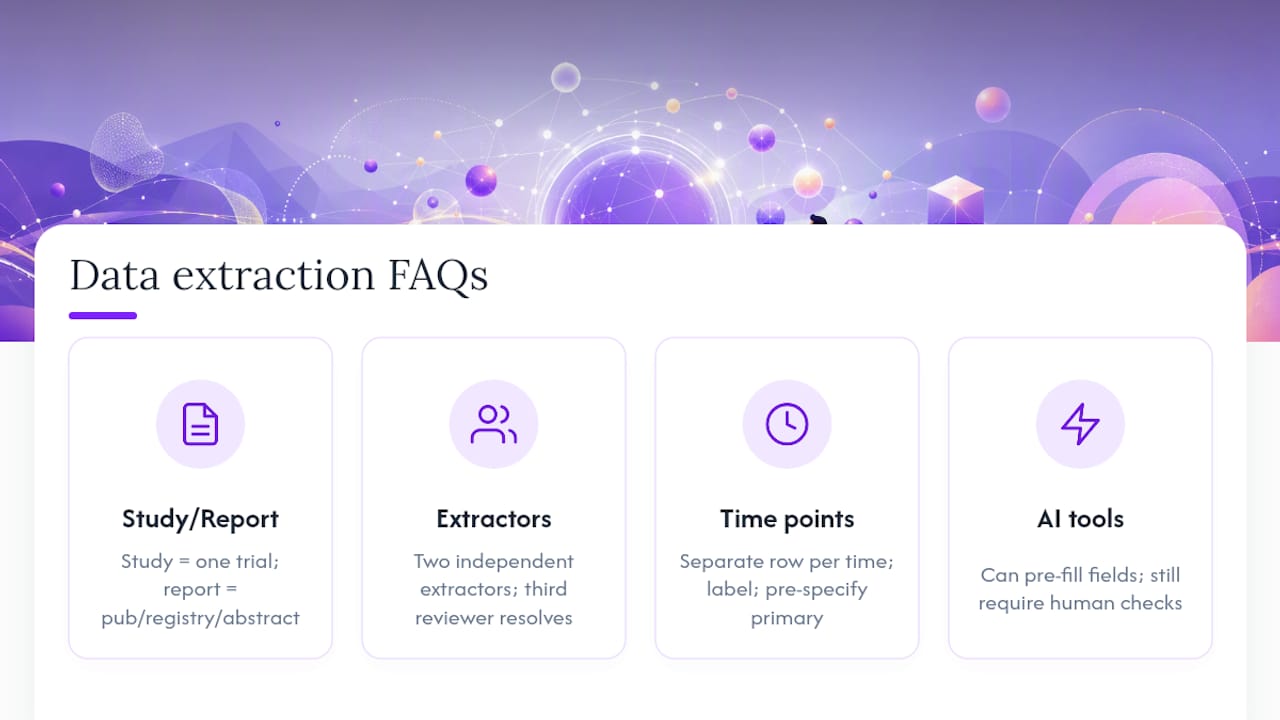
No. AI tools can pre-populate candidate fields and speed up locating information within a paper, but the Cochrane Handbook is explicit that human judgment remains necessary for interpreting reported data, especially for outcome values feeding meta-analysis. Any AI-assisted extraction still needs independent human verification and duplicate checking on outcome fields.
Sources
- Chapter 5: Collecting data | Cochrane Handbook
- Data extraction templates - RevMan Knowledge Base
- Development, testing and use of data extraction forms in systematic reviews: a review of methodological guidance