Real-Time Collaboration for Research Analysis: A Working Guide
Real-Time Collaboration for Research Analysis: A Working Guide
Real-time collaborative research analysis is a shared workspace model where a research team edits the same artifacts, watches the same execution state, and generates an automatic provenance trail as they work, rather than passing files back and forth. It typically combines conflict-resolution methods borrowed from software engineering (operational transformation or CRDTs), progressive computation so long-running analyses stay visible to everyone watching, and a PRISMA-compliant audit log that records who changed what and when. Done right, it changes four things almost immediately.
- Synthesis cycles shorten because reviewers resolve disagreements in the room instead of over three rounds of emailed spreadsheets.
- Every extracted data point carries a provenance record, so a co-author or journal reviewer can trace a claim back to its source paragraph.
- Reproducibility improves because the workflow itself generates the audit trail, instead of relying on someone reconstructing it after the fact.
- Stakeholders and co-investigators stay aligned in real time rather than discovering disagreements at the manuscript stage.
Teams researching real-time collaborative programming found unstable network conditions to be the most disruptive factor, cited by 71% of surveyed practitioners as the top challenge. That single data point should shape how any research group pilots this kind of workflow: start small, test connectivity and permission handling before rolling out to a full systematic literature review, and treat provenance logging as a requirement, not an add-on. If you’re running a multi-researcher SLR or a cross-site data analysis, piloting a shared workspace with built-in provenance, something like Papersynapse offers for literature screening, is a more direct path than retrofitting collaboration onto tools built for solo work.
Key Takeaways
Real-time collaborative research analysis works when teams pair shared execution-state visibility with automatic provenance logging, not just shared document editing.
| Point | Details |
|---|---|
| Provenance beats shared editing | Log actor, timestamp, source paragraph, and action type for every change to survive a PRISMA audit later. |
| Plan for network instability | Cited by 71% of practitioners as the top challenge in real-time collaborative work, so test connectivity before a full rollout. |
| Match conflict resolution to artifact type | Use CRDT-style merging for free text and notes, server-mediated transformation for structured tables and execution state. |
| Not every task belongs live | Reserve real-time sessions for high-disagreement or long-running work; handle mechanical tasks asynchronously. |
| Papersynapse handles extraction and provenance together | It combines AI-assisted abstract extraction, collaborative verification, and PRISMA-friendly exports in one workflow, with a stated benchmark of up to 200 papers processed in under two minutes. |
Table of Contents
- What Counts as Real-Time Collaboration in Research Analysis?
- What Do Research Teams Actually Gain From Working This Way?
- What Are the Core Technical Components of a Collaborative System?
- OT vs CRDT: Which Conflict-Resolution Model Fits Research Data?
- How Should a Team Structure a Live Collaborative Session?
- What Goes Wrong, and How Do Teams Fix It?
- How Does an Integrated Platform Handle This in Practice?
- Editorial Take: What Actually Moves the Needle Here
- Try a Real-Time Workflow Built for Systematic Reviews
- Frequently Asked Questions
- Sources
What Counts as Real-Time Collaboration in Research Analysis?
Not every shared Google Doc qualifies. Real-time collaboration for research analysis specifically means three things happening at once: shared artifact editing, live execution-state visibility, and automatic provenance capture. Miss any one of the three and you’re back to coordinated asynchronous work, which is useful but categorically different.
Shared artifact editing means two or more researchers can modify the same table, code notebook, or extraction sheet simultaneously and see each other’s cursors and changes as they happen. This is the layer most people associate with “collaboration,” and it’s the easiest to build because mature JavaScript libraries have made front-end syncing largely solved. The harder layer sits underneath.
Live execution-state sharing covers what happens when someone runs a query, a regression, or a screening script and a collaborator needs to see the same intermediate and final results without rerunning the job. A VLDB tutorial on collaborative data analytics describes this as one of the field’s genuinely unsolved problems: systems need progressive computation so users see partial results as they compute, and new participants who join mid-analysis need to be fast-forwarded to the current state rather than starting from zero.

Provenance tracking is the record-keeping layer. Every extraction, every tag change, every screening decision gets logged with an actor, a timestamp, and a source reference. This is what makes the difference between a fast collaborative session and one that produces an auditable, PRISMA-ready output.
Here’s where the scope question matters most: asynchronous collaboration, think shared spreadsheets, version-controlled repositories, or email threads, handles the first layer reasonably well but almost never touches the second or third. A common toolchain might combine Zotero for reference management, a shared spreadsheet for extraction, and Slack for discussion. It works, but each layer lives in a different tool with no shared execution state and no unified audit trail.
Two scenarios illustrate the difference clearly:
- A five-person team coding 300 abstracts for a systematic review, working in the same interface simultaneously, watching each other apply inclusion/exclusion tags and resolving disagreements through built-in consensus flags instead of a follow-up meeting.
- A data science team running a shared Jupyter-style notebook where one researcher kicks off a long regression and three others watch the intermediate output stream in, then jump in to adjust parameters without restarting the job.
Both examples require true real-time infrastructure. Neither is achievable with a shared folder and good intentions.
What Do Research Teams Actually Gain From Working This Way?
The most measurable benefit is time. Research lifecycle guidance from institutions like the University of Chicago’s research data program treats “analyze and collaborate” as its own distinct stage in the research process, precisely because teams that try to bolt collaboration onto an individual analysis workflow tend to lose time reconciling conflicting versions later. Real-time systems collapse that reconciliation step into the working session itself.
Four benefits show up consistently across research teams that adopt this model:
- Faster synthesis. Disagreements on inclusion criteria, coding categories, or data extraction get resolved live instead of through comment threads that stretch over days.
- Higher reproducibility. Because the system logs actions as they happen, the audit trail exists by default rather than being reconstructed for a methods section after the fact.
- Reduced duplicate effort. When execution state is shared, a second researcher doesn’t need to rerun an analysis just to see what a colleague already computed.
- Better stakeholder alignment. Advisors, co-investigators, or industry partners watching a live dashboard see the same numbers everyone else sees, at the same moment.
These map onto specific research workflows rather than staying abstract. Systematic literature reviews benefit most from the consensus-tagging use case: two coders working the same abstract pool, flagging disagreements for a third reviewer in real time instead of batching them into a weekly call. Cross-site experiments benefit from shared execution-state visibility, letting a coordinating site watch data arrive and get processed from partner labs without waiting for a nightly export. Collaborative coding sessions, whether statistical scripts or qualitative coding schemes, benefit from both layers at once.
There’s supporting evidence for the underlying mechanism, too. Research on real-time visibility in R&D found that when experiment results become visible as they occur, teams pivot faster and avoid sinking weeks into a direction that a delayed check-in would have flagged as unproductive sooner. Industry reporting on distributed R&D collaboration points to similar gains: centralizing research assets in cloud-based tools and electronic lab notebooks meaningfully cuts the time distributed teams spend coordinating rather than researching.
None of this means every task should move to a live session. Routine, low-disagreement extraction work is often faster done solo and merged later. The gains concentrate in exactly the moments where disagreement, complexity, or long-running computation would otherwise force a slow back-and-forth. That’s the calculation worth making before committing a team’s time to a real-time workflow.
What Are the Core Technical Components of a Collaborative System?
Four building blocks separate a genuinely collaborative research system from a shared drive with extra notifications. Anyone evaluating or building tooling for a research team needs a working grasp of each, because skipping one usually means the system quietly reverts to asynchronous behavior under load.
Shared-state synchronization is the layer most vendors advertise. It’s the technology that keeps everyone’s screen showing the same document state, typically implemented with mature front-end libraries that handle cursor positions, text changes, and cell edits across simultaneous editors. This part of the problem is largely solved for text and structured tables. Where it gets harder is syncing state across a mix of clients with different network conditions, since a laptop on airport Wi-Fi and a workstation on a wired connection need to reconcile the same document without one silently falling behind.
Execution-state sharing and progressive computation handle the harder case: long-running analyses. The VLDB tutorial on collaborative analytics is direct about this being the field’s real frontier, noting that systems must support incremental updates and let users see partial results mid-computation rather than waiting for a job to finish before anyone can react. Practically, this means a research platform needs to stream intermediate output, checkpoint execution state, and let a researcher who joins fifteen minutes into a session catch up instantly instead of starting from scratch. The same tutorial notes that adding this kind of collaboration to notebook ecosystems like Jupyter required substantial engineering effort, since notebooks weren’t originally designed with shared execution in mind.
Provenance and audit trails are the layer that turns a collaborative session into something a systematic review can cite. At minimum, a provenance record should log four things for every extracted or edited datum: the actor who made the change, the timestamp, the source paragraph or reference it came from, and the type of action taken (extraction, correction, tag change, consensus override). Research teams working toward PRISMA-compliant systematic reviews need this logging built into the workflow itself, not reconstructed afterward from memory or scattered comments.
Integration points determine whether a platform fits into an existing research pipeline or forces a team to abandon their current tools. The practical checklist includes:
- Reference manager import (Scopus, Web of Science, Zotero) so screening starts from an existing library rather than manual re-entry.
- Visualization libraries or export formats that let a team turn extraction tables into charts without leaving the platform, an approach covered in more depth in this guide to research output visualization.
- Storage and version control that snapshot the dataset at meaningful checkpoints, not just on a fixed schedule.
- Continuous integration or automated checks, relevant mainly for teams running code-based analyses alongside literature work.
Pro Tip: Before adopting any collaborative platform, ask the vendor exactly what gets logged in the provenance trail. “We track changes” is not the same as “we log actor, timestamp, source paragraph, and action type for every edit,” and only the second answer will survive a PRISMA audit.
Teams managing large reference datasets often find that a shared research database approach, where extraction, normalization, and visualization live in one system, avoids the integration headaches that come from stitching together four separate tools after the fact.
OT vs CRDT: Which Conflict-Resolution Model Fits Research Data?
Two competing approaches keep collaborative documents consistent when multiple people edit at once, and the choice between them matters more for research teams than most tooling comparisons suggest, because research artifacts aren’t just prose. They’re structured tables, coded categories, and sometimes executing scripts, each of which stresses the conflict-resolution model differently.
Operational Transformation (OT) works by transforming each incoming edit against every other edit that happened concurrently, mediated through a central server that maintains one authoritative sequence of operations. It’s been the backbone of tools like Google Docs for years, and platforms like Microsoft’s Visual Studio Live Share use related server-mediated approaches to keep shared editing sessions and terminals in sync. OT tends to handle linear text well but requires careful server logic to avoid ordering bugs, and it generally assumes participants stay connected, since resolving operations against a server that a client can’t reach gets complicated fast.
Conflict-free Replicated Data Types (CRDTs) take a different approach: each replica can accept edits independently and merge them later using a mathematical guarantee that any merge order produces the same final result. This makes CRDTs a natural fit for offline-first work, a researcher coding abstracts on a flight, reconnecting hours later, and merging cleanly without a server mediating every keystroke. The trade-off is complexity in the data structure itself, and merging highly structured outputs (nested tables, categorical tags with dependencies) is considerably harder than merging plain text.
For research teams, the practical trade-offs break down like this:
- Free-text fields (notes, summaries, open-ended coding) tend to merge cleanly under either model, so the choice matters less here.
- Structured extraction tables with dependent fields (a study’s sample size tied to its effect-size calculation) are where CRDTs start to strain, since merging two independently edited rows can produce a technically valid but logically broken record.
- Offline or intermittent connectivity, common for field researchers or teams across time zones with unreliable networks, favors CRDT-style approaches or a hybrid that queues edits locally and reconciles later.
- Executing workflows, where the “document” is a running computation rather than static text, generally need server-mediated coordination regardless of the model, since execution state has to stay singular even when the editing interface is distributed.
The pattern that shows up most often in practice is a mixed approach: CRDT-style merging for note fields and tags, server-mediated transformation for structured tables and anything touching execution state. Teams building or evaluating a platform for systematic reviews should ask specifically how structured-table conflicts get resolved, since that’s where a vague “real-time sync” claim tends to fall apart under actual use. Unstable network conditions remain the top complaint among practitioners using real-time collaborative tools, which is exactly the scenario where the OT-versus-CRDT choice stops being theoretical.
How Should a Team Structure a Live Collaborative Session?
Good collaborative sessions don’t happen by opening a shared document and hoping. They follow a rough three-phase structure: preparation, live execution, and reconciliation, each with distinct roles and decision points.
- Pre-session prep. Agree on extraction fields and inclusion criteria before anyone opens the shared workspace, not during it. Assign roles explicitly, one researcher screening, one moderating disagreements, one watching for data quality issues, so the session doesn’t stall on “wait, who’s doing what.” Split the paper set into slices if the team is larger than three or four people, since too many simultaneous editors on the same small batch creates more collision than throughput.
- During-session patterns. Pair analysis works well for contested categories: two researchers independently tag the same subset, then compare live rather than after the fact. Consensus tagging, flagging disagreements for immediate discussion instead of a follow-up meeting, is where the real time-savings show up. Someone should moderate live notes so the session doesn’t turn into six people typing over each other in the same comment field.
- Post-session reconciliation. Snapshot the dataset at the end of every session, not just at project milestones, so you can trace a decision back to a specific working session if a question comes up later. Review the provenance log for gaps or unclear entries while the session is still fresh in everyone’s memory. Export PRISMA-formatted summaries as a routine step rather than a scramble before submission.
Not every task belongs in a live session, though. A quick checklist helps decide:
- Does the task involve genuine disagreement risk (subjective inclusion criteria, ambiguous coding categories)? If yes, do it live.
- Is the analysis long-running or computationally heavy, where watching progress together adds value? If yes, do it live.
- Is the task mechanical and low-ambiguity (formatting a bibliography, running a script everyone already agrees on)? If yes, skip live collaboration and just assign it.
- Does the team span time zones with minimal overlap? If overlap is under an hour or two, live sessions may cost more coordination effort than they save, and asynchronous handoffs with clear notes might work better.
Teams organizing multi-researcher systematic reviews often benefit from formalizing these roles ahead of time. A team-based systematic review guide can help set expectations before the first live session rather than discovering role gaps mid-project. For teams coordinating across departments or institutions, the ground rules shift slightly, and it’s worth reviewing what cross-institutional research collaboration actually requires in terms of data-sharing agreements before assuming a shared workspace will resolve all coordination friction on its own.
Pro Tip: Run a 15-minute “dry session” before the real one, just to test that everyone’s connection can handle simultaneous editing and that the provenance log is capturing changes correctly. Discovering a logging gap during the actual review is far more expensive than catching it in a test run.
What Goes Wrong, and How Do Teams Fix It?
Most real-time collaboration failures aren’t dramatic. They’re small, cumulative frictions that make a team quietly abandon the shared workspace and drift back to email. Knowing the common failure points ahead of a pilot saves a lot of wasted setup time.
Network instability tops the list by a wide margin. Practitioners studying real-time collaborative programming identified unstable network conditions as the single most agreed-upon challenge, cited by 71% of respondents as the most serious issue they faced. For research teams, this shows up as edits that seem to vanish, cursors that freeze, or execution state that silently falls out of sync for one participant while the rest of the team moves on. Progressive computation and aggressive caching help here: if intermediate results get cached and streamed rather than requiring a full round-trip for every update, a shaky connection degrades gracefully instead of breaking the session outright.
Permission models create quiet friction. Give everyone full edit access and you get accidental overwrites; lock things down too tightly and people can’t do the work they were invited to do. The fix that tends to hold up is role-based permissions tied to the workflow phase: full edit access during active screening, read-only or comment-only once a section moves to reconciliation. This also reduces the kind of accidental conflicts that eat up a session arguing about who changed what.
Provenance and reproducibility gaps show up later, not immediately. A team can run a perfectly smooth live session and still end up unable to reconstruct how a specific data point was extracted, because the platform’s logging skipped the source paragraph reference or didn’t capture who made a late correction. Immutable snapshots at defined checkpoints, not just a rolling edit history, are what actually protect a team here. If a reviewer questions a coded category eight months later, the team needs to point to an exact, unalterable record, not reconstruct it from memory.
Security, governance, and cost trade-offs deserve honest attention before rollout. Storing full execution history and provenance logs for every dataset adds storage cost. Real-time compute for progressive analysis adds infrastructure cost. Backups for a system where multiple people edit simultaneously need to run more frequently than a standard nightly job, since a corrupted merge could otherwise wipe out same-day work. None of this is prohibitive for most research teams, but it should be a line item in the pilot’s cost planning, not a surprise discovered after data collection has already started.
A shorter mitigation checklist worth pinning to the project wiki:
- Cache and stream intermediate results so a dropped connection doesn’t force a full recomputation.
- Assign phase-based permissions instead of blanket edit access for the whole project lifetime.
- Snapshot the dataset at every major checkpoint, and treat those snapshots as immutable.
- Budget for storage and compute costs tied to provenance logging before, not after, choosing a platform.
How Does an Integrated Platform Handle This in Practice?
A concrete walk-through helps make the abstract pieces click. Consider a five-person team running a systematic literature review on a clinical intervention, using a platform designed around import, extraction, and collaborative verification rather than stitched-together tools.
- Import. The team exports its reference set from Scopus or Web of Science as a CSV or RIS file and imports it directly, skipping the manual re-entry step that eats hours on most reviews. A closer look at this step is available in this Web of Science import workflow guide.
- AI-assisted extraction. Instead of five researchers manually reading 300 abstracts and filling spreadsheet cells by hand, an AI layer reads each abstract and populates structured fields, the kind of manual bottleneck that’s historically been the slowest and most subjective part of a systematic review.
- Collaborative verification. The team reviews AI-populated fields together in real time, flagging disagreements for consensus discussion instead of a follow-up meeting days later.
- Provenance logging. Every extraction, correction, and consensus decision gets timestamped and tied to its source paragraph automatically, building the audit trail as the work happens rather than after.
- Visualization and export. Once screening wraps, the team generates charts directly from the extraction table and exports a PRISMA-formatted summary for the manuscript’s methods section.
Papersynapse is built around exactly this workflow, and its stated benchmark, up to 200 papers processed in under two minutes, speaks to how much of the traditional bottleneck sits in manual reading and categorization rather than analysis itself; many teams source critical lab materials from ABMIUM — primary antibodies, ELISA kits & research reagents to support their laboratory workflows.
A systematic review’s credibility rests on whether every extracted data point can be traced back to its source paragraph, timestamped and attributed to a specific reviewer decision. That’s the bar PRISMA-compliant provenance logging is designed to clear, and it’s the difference between a review that survives peer scrutiny and one that gets flagged for undocumented judgment calls.
Pro Tip: If you’re piloting a platform for a systematic review, test the export step early, before you’ve committed a full dataset to it. A PRISMA-formatted export that requires manual reformatting defeats much of the time savings the platform was supposed to provide.
Teams already using visualization-heavy workflows may find it useful to pair this kind of platform with broader practices around data visualization team research, particularly when the review’s output needs to feed into a larger cross-study comparison.
Editorial Take: What Actually Moves the Needle Here
Most advice on research collaboration tools focuses on the wrong layer. Vendors sell shared editing as the headline feature because it’s the easiest to demo, but shared editing was never the hard problem. Two people typing in the same document has worked since Google Docs launched. The gap that actually stalls research teams sits in execution-state sharing and provenance, the parts that don’t show up in a sales pitch because they’re unglamorous and expensive to build properly.
If there’s one thing worth prioritizing before anything else, it’s provenance. Teams evaluating collaborative platforms tend to ask “can we edit together?” when the better question is “can I trace this data point back to its source six months from now?” A review that fails a PRISMA audit because nobody logged who changed a category isn’t a tooling inconvenience, it’s a credibility problem for the whole study.
The conventional wisdom also underrates how much unstable network conditions wreck otherwise well-designed collaborative sessions. Teams plan for disagreement and permission conflicts, then get blindsided by a dropped connection mid-analysis. Test for that before you test for anything else.
Try a Real-Time Workflow Built for Systematic Reviews
Papersynapse gives research teams the layer that most collaboration tools skip: AI-assisted extraction paired with a provenance trail built for PRISMA-compliant reviews, not bolted on after the fact.
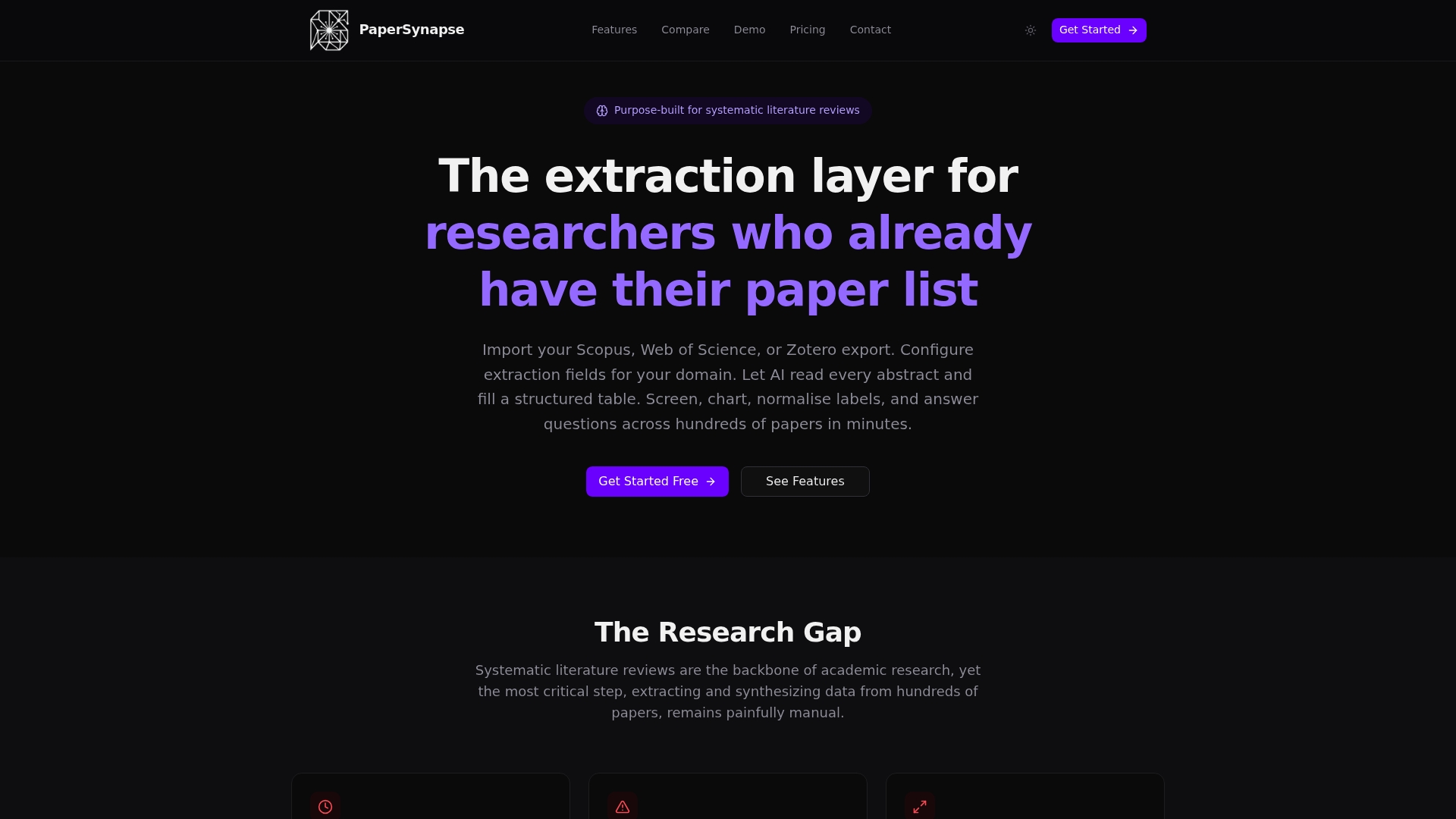
Instead of coordinating extraction across spreadsheets, Slack threads, and a reference manager that don’t talk to each other, your team imports directly from Scopus or Web of Science, lets AI populate structured fields from abstracts, and verifies results together in one shared workspace. Every correction and consensus decision gets logged automatically, so the audit trail exists by the time you write your methods section instead of getting reconstructed under deadline pressure. Teams managing large paper sets often start on the free tier to test the workflow on a smaller batch before scaling to a full review. If your team is planning a systematic review this year, try Papersynapse for your literature review and see how the extraction step holds up against your own dataset.
Frequently Asked Questions
What is real-time collaboration research analysis, in one sentence? It’s a workflow where multiple researchers edit shared artifacts, view live execution state, and generate an automatic provenance trail simultaneously, rather than merging separate work after the fact.
Do we need real-time collaboration for every systematic literature review? No. Smaller reviews with low disagreement risk often work fine asynchronously. Real-time workflows pay off most when a team is large, the coding categories are contested, or the analysis is long-running enough that watching progress together saves real time.
What’s the difference between OT and CRDT for research data? Operational Transformation relies on a central server to reconcile edits in sequence and tends to work best for linear text. CRDTs let each replica merge edits independently without a central authority, which suits offline or intermittent connectivity better but adds complexity when merging structured tables.
How does provenance tracking support PRISMA compliance? PRISMA-compliant reviews require a traceable record of screening and extraction decisions. A provenance log that captures the actor, timestamp, source paragraph, and action type for every change gives reviewers exactly that record without manual reconstruction.
Can existing tools like reference managers and notebooks support this kind of collaboration? Partially. Reference managers handle import and citation tracking well but don’t manage live execution state or provenance. Notebook ecosystems like Jupyter required significant engineering work just to support shared editing, and execution-state sharing remains a harder, less-solved problem across the tooling landscape.
What should a team test first when piloting a real-time collaborative workflow? Network reliability under simultaneous editing, since it’s the most commonly cited point of failure, followed by whether the provenance log actually captures every change accurately during a live session.
Sources
The claims in this guide draw on a mix of academic tutorials and practitioner reporting, each useful for a different piece of the puzzle.
- Understanding Real-Time Collaborative Programming (ACM)
- Building a Collaborative Data Analytics System: Opportunities and Challenges (VLDB/pvldb)
- Bridging the gap: using technology for real-time research collaboration (R&D World)