How to Build a Team-Based Paper Screening Workflow
How to Build a Team-Based Paper Screening Workflow
A well-run team-based paper screening workflow follows five stages: pilot calibration on roughly 30 citations (researchers recommend this initial step; the size may be adjusted for different project scopes), independent dual screening with blinded voting, adjudication of conflicts, AI-assisted deduplication and prioritization, and a PRISMA-compliant export with full decision logs. That sequence, executed with Cohen’s Kappa checks and a platform like Papersynapse, is what separates a defensible systematic review from one that a reviewer can pick apart.
Start here today:
- Run a 30-citation pilot (or more, as appropriate for project size and complexity per SRDR guidance) before full screening begins
- Assign every record to two independent reviewers (no shared votes before both submit)
- Resolve conflicts through a designated adjudicator, not group chat
- Use AI to prioritize and deduplicate, but require human confirmation on every exclusion
- Export a timestamped decision log before you close the project
First action: pull 30 random citations from your import file and schedule a calibration meeting this week.
Key Takeaways
A defensible team-based paper screening workflow requires pilot calibration, independent voting, human authority over AI suggestions, and a complete PRISMA export before the project closes.
| Point | Details |
|---|---|
| Pilot before full screening | Screen a pilot batch of roughly 30 citations (per SRDR guidance; adjust for scope if needed) as a team to calibrate criteria and establish a baseline Cohen’s Kappa. |
| Independent voting is non-optional | Both reviewers submit decisions before either sees the other’s vote; early discussion erodes reliability. |
| Human authority over AI | AI prioritizes and deduplicates; humans confirm every Include and Exclude decision. |
| PRISMA log with reasons | Export record IDs, reviewer decisions, timestamps, and exclusion reasons before closing the project. |
| Papersynapse as implementation platform | Papersynapse supports RIS/CSV import, blinded dual screening, AI prioritization, and PRISMA-ready exports in one workflow. |
Table of Contents
- What does a team-based paper screening workflow look like step by step?
- How do you define roles and protect independent judgment on your team?
- How should your team use AI tools without losing human accountability?
- How do you measure quality and keep documentation PRISMA-compliant?
- How do you staff and schedule a realistic screening timeline?
- How to implement this workflow inside Papersynapse
- What the conventional wisdom on AI screening gets wrong
- Papersynapse handles the full workflow in one place
- Sources
What does a team-based paper screening workflow look like step by step?
A structured, sequential protocol prevents the two most common failures in collaborative screening: inconsistent inclusion criteria and undocumented decisions.
-
Import and deduplicate. Export your search results from databases (Scopus, Web of Science, PubMed) in RIS or CSV format. Run deduplication before any human screening begins. Flag duplicates rather than deleting them outright so the removal is auditable.
-
Pilot calibration. Screen roughly 30 citations as a team, independently. SRDR recommends this pilot size to calibrate screeners and surface disagreements in how inclusion/exclusion criteria are interpreted. Hold a calibration meeting, resolve every conflict, and update the criteria document before proceeding.
-
Title and abstract screening. Assign each record to two reviewers. Both submit decisions independently, with no visibility into each other’s votes until both are recorded. Tag each record: Include, Exclude, or Uncertain. Uncertain records escalate automatically to the adjudicator.
-
Full-text screening. Retrieve and screen full texts for all records tagged Include or Uncertain at the previous stage. Apply the same dual-review rule. Criteria often tighten here; document any new exclusion reasons explicitly.
-
Adjudication. A designated adjudicator reviews all conflicts. Tie-breaks are not resolved by majority vote or group discussion. The adjudicator’s decision is final and logged with a reason.
-
Final dataset and export. Generate the PRISMA flow diagram, export the decision log with timestamps and reasons, and archive the project. The log is your audit trail.
Pro Tip: Update your inclusion/exclusion criteria document after the pilot, not during full screening. Mid-stream criteria changes require re-screening already-decided records, which doubles your workload.
How do you define roles and protect independent judgment on your team?
Every screener on a team-based systematic review needs a defined role before the first record is assigned. Ambiguity about who decides what is how conflicts go unresolved and audit logs go incomplete.
Core roles:
- Primary screener: Reviews assigned records and submits a decision before seeing any other reviewer’s vote
- Second screener: Reviews the same records independently; triggers conflict resolution when decisions diverge
- Adjudicator: Resolves conflicts; typically the most experienced team member or PI; never also a primary screener on the same record
- Project lead: Manages criteria documentation, calibration meetings, and Kappa tracking
- Data manager: Owns imports, exports, deduplication, and audit log integrity
When your team mixes expertise levels, the Expert Needed model from SRDR is worth adopting: every citation gets at least one expert reviewer, which reduces incorrect exclusions without requiring two experts on every record.
The single most important safeguard is timing. Wiley’s guidance on collaborative review warns that early communication between reviewers erodes the value of independent perspectives. Lock the interface so neither reviewer sees the other’s decision until both have submitted. Consensus meetings happen after voting, never before.
Pro Tip: Set a hard deadline for adjudication batches, such as every Friday. Letting conflicts accumulate for weeks creates a backlog that stalls the entire project.
How should your team use AI tools without losing human accountability?
AI belongs in a literature review workflow as a prioritization and deduplication engine, not as a decision-maker. The practical line is straightforward: AI ranks and flags, humans confirm.
What to automate:
- Deduplication on import (RIS/CSV/EndNote exports feed directly into most platforms)
- Relevance ranking via active learning, so the most likely-relevant records surface first
- Conflict flagging when two reviewers diverge
What to keep human:
- Every final Include or Exclude decision
- All adjudication calls
- Any record the model marks as low-relevance but a reviewer flags as uncertain
Clinical guidance published in PMC is direct on this point:
Label AI involvement explicitly in your exports. If a record was prioritized by an active learning model, that should appear in the audit log. ASReview’s crowdscreen feature handles this well: it assigns records via AI-driven prioritization and logs every action per user, giving you a reproducible trail.
For teams that want a minimal, low-friction setup, CART offers open-source title/abstract voting with per-paper history files. It lacks AI prioritization but works for small teams or prototypes.
One caution worth stating plainly: automated review frameworks like SEA (EMNLP 2024) and its companion repository are designed to assist authors with structured critiques, not to make accept/reject calls. The CNPE framework takes a different approach, using pairwise comparative rankings rather than absolute scores, which tends to produce more consistent outputs. Both are research tools, not production screening systems. Validate any AI suggestion against your pilot data before trusting it at scale.
Pro Tip: Save your AI model’s hyperparameters and training state at the end of the project. A reviewer asking “how did you prioritize records?” needs a logged answer, not a verbal one.
How do you measure quality and keep documentation PRISMA-compliant?
Tracking a handful of metrics throughout screening catches calibration drift before it corrupts your dataset.
Metrics to monitor:
Re-calibrate whenever Kappa drops or conflict rate spikes. A batch re-screening trigger is appropriate when criteria were updated mid-project or when a new screener joins after full screening has begun.
Your PRISMA log must contain, at minimum: total records identified, duplicates removed, records screened, records excluded with reasons, full texts assessed, and final included studies. Every exclusion reason needs a count.
Export checklist for each record in your CSV/RIS:
- Record ID, title, abstract
- Reviewer 1 decision and timestamp
- Reviewer 2 decision and timestamp
- Adjudicator decision (if applicable) and reason
- Tags and final status
- AI prioritization flag (if applicable)
A reproducible methodology guide covers export standards in more detail if your team needs a reference for journal submission.
How do you staff and schedule a realistic screening timeline?
Throughput varies by screener experience and record complexity, but working assumptions let you build a credible project plan.
Per-reviewer capacity (conservative estimates):
- Title/abstract screening: 100–200 records per hour
- Full-text screening: 10–20 records per hour
Sample calculation for 10,000 citations with dual screening:
- Total screening decisions needed: 10,000 × 2 reviewers = 20,000 decisions
- At 150 records/hour per reviewer: 20,000 ÷ 150 = approximately 133 reviewer-hours
- With a team of 4 reviewers splitting the load: 133 ÷ 4 = approximately 33 hours each
- Add 20% buffer for adjudication, calibration, and re-screening: roughly 40 hours per reviewer
- At 5 hours/week per reviewer: approximately 8 weeks to complete title/abstract screening
Full-text screening adds significant time. If 20% of 10,000 records advance (2,000 full texts) and each takes 6 minutes, that is 200 reviewer-hours split across the team.
For coordinating multi-researcher reviews, load balancing matters as much as total capacity. Assign records in fixed batches so no reviewer sits idle while another is overwhelmed.
Volunteer screeners tend to work in bursts. A perpetual assignment model, where the platform continuously assigns new records as reviewers complete batches, keeps momentum better than a fixed-N model where everyone gets a set pile upfront.
How to implement this workflow inside Papersynapse
Papersynapse supports the full protocol described above without requiring separate tools for each stage.
-
Import your references. Upload RIS or CSV exports from Scopus, Web of Science, or any compatible reference manager. Papersynapse deduplicates on import.
-
Configure your project settings. Select double-screening or Expert Needed mode. Set your pilot size (30 citations is the recommended starting point). Define inclusion/exclusion tags and required reason fields for exclusions.
-
Invite collaborators and assign roles. Add team members, designate Expert roles, and set adjudicator permissions. Reviewers see only their assigned records until both votes are submitted.
-
Enable AI-assisted prioritization. Papersynapse’s AI reads abstracts and ranks records by likely relevance. All AI involvement is flagged in exports so your audit log reflects it accurately. Papersynapse claims to process up to 200 papers in under two minutes, which makes the prioritization pass fast even on large datasets.
-
Screen and adjudicate. Work through title/abstract screening, then full-text. Conflicts route automatically to the adjudicator queue.
-
Export your PRISMA log and audit trail. Generate a PRISMA-ready flow and download the full decision history as enriched CSV. Every record carries reviewer IDs, timestamps, decisions, and reasons.
Pro Tip: Run your 30-citation pilot inside Papersynapse rather than in a spreadsheet. That way the calibration data is already in the system and contributes to AI model training for the full project.
What the conventional wisdom on AI screening gets wrong
The standard advice is to “use AI to speed up screening.” That framing puts the emphasis in the wrong place.
Speed is a byproduct of a well-structured workflow, not the goal. Teams that adopt AI primarily to go faster tend to skip the pilot, skip calibration checks, and treat AI exclusions as final. The result is a faster review with a weaker audit trail and higher risk of systematic bias.
The more useful frame is reproducibility. If you cannot hand a colleague your decision log and have them reconstruct exactly how every record was handled, your workflow has a documentation problem regardless of how fast it ran. AI is valuable precisely because it creates a logged, consistent prioritization pass that a human reviewer can inspect and override.
The other common mistake is assigning novice screeners without an Expert Needed safeguard. A single experienced reviewer catching errors on every record costs less time than re-screening a dataset because Kappa was 0.45 at the end.
Pilot, calibrate, log everything, and let AI assist rather than decide. That is the protocol that survives peer review.
Papersynapse handles the full workflow in one place
Most teams cobble together a reference manager, a spreadsheet, and a separate screening tool. Papersynapse replaces that stack: import RIS or CSV files, run AI-assisted deduplication and prioritization, screen with full blinded dual-review controls, and export a PRISMA-compliant audit log, all within one platform.
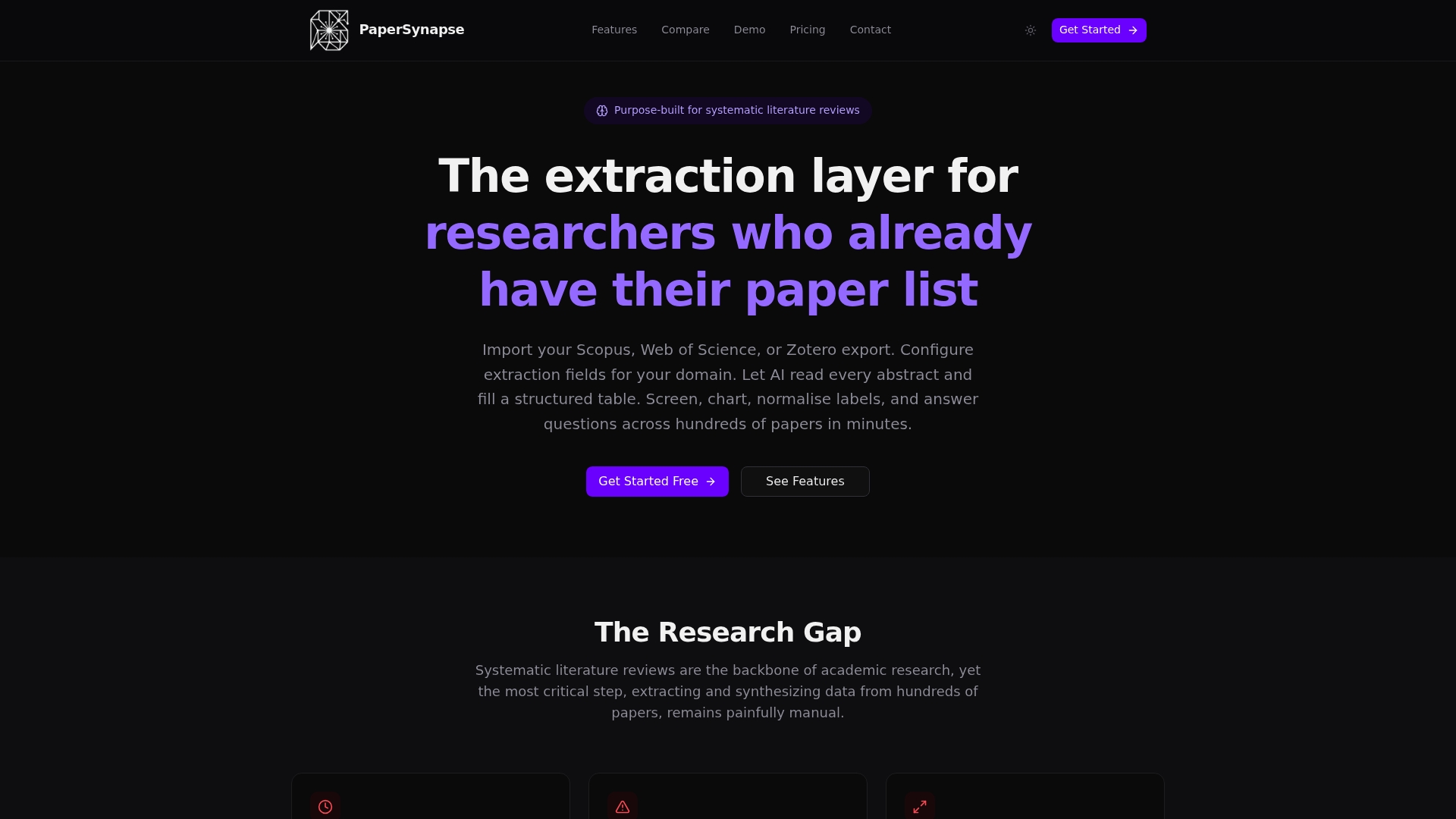
For research teams managing thousands of records, the time savings are real. Papersynapse processes up to 200 papers in under two minutes and keeps every reviewer decision, timestamp, and AI flag in a single exportable record. Start your systematic review on Papersynapse and run your first 30-citation pilot today.
Sources
- SRDR+ 4.1 Screening Tool Resources for Team Leaders - SHP Methodology and Statistics Support Team
- What is peer review? — Wiley Author Services (types of peer review)
- PMC article about AI-assisted vs AI-generated distinctions (Oncology Nursing Forum and related guidance)
- Crowdscreen with ASReview | Collaborative Screening
- SEA — Automated Peer Reviewing in Paper SEA (GitHub)